Track Received funds
When receiving payment from customers; The salesperson needs to enter this amount in the debt table to track the debt balance;
The function of tracking money on the ERP system allows recording the amount paid by customers; Each amount paid by the customer, should be tied to each Sales order and Payment terms to track the debt age of each debt for each customer;
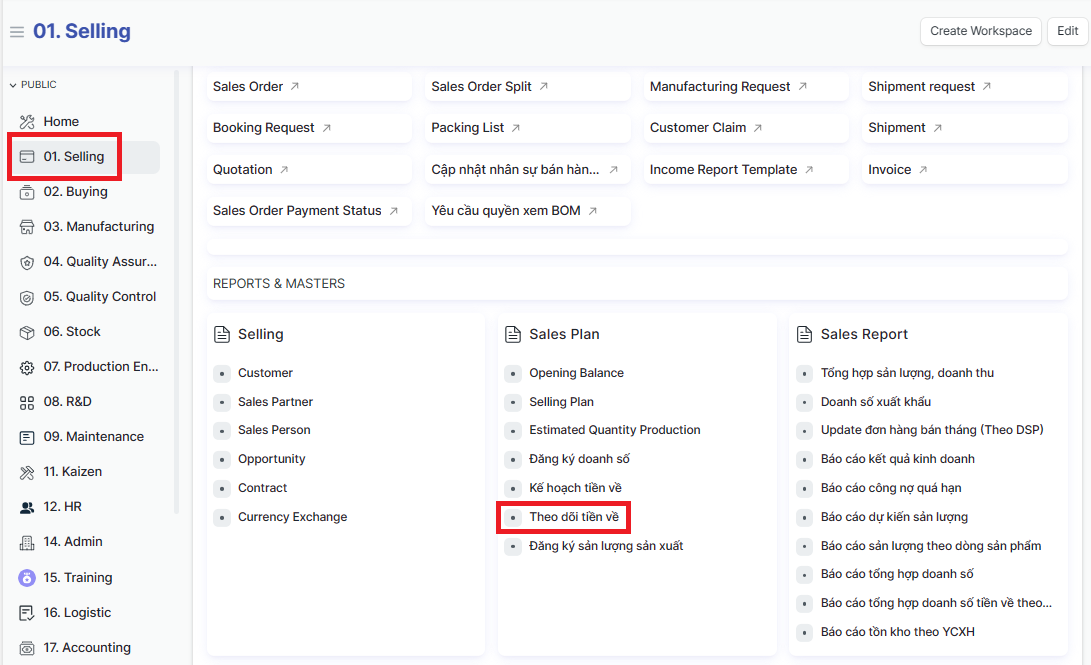
Access the function of creating new "Track Received Funds" on the system by following the link: Home page => Selling => Theo dõi tiền về (Track Received Funds)
1. Basic information:
The following information is necessary and should be created before creating the Track Received Funds: (if not available before, it can be created during the selection of the corresponding item)
Customer
SO, PI Number
Bank account
Payer
2. Steps to follow:
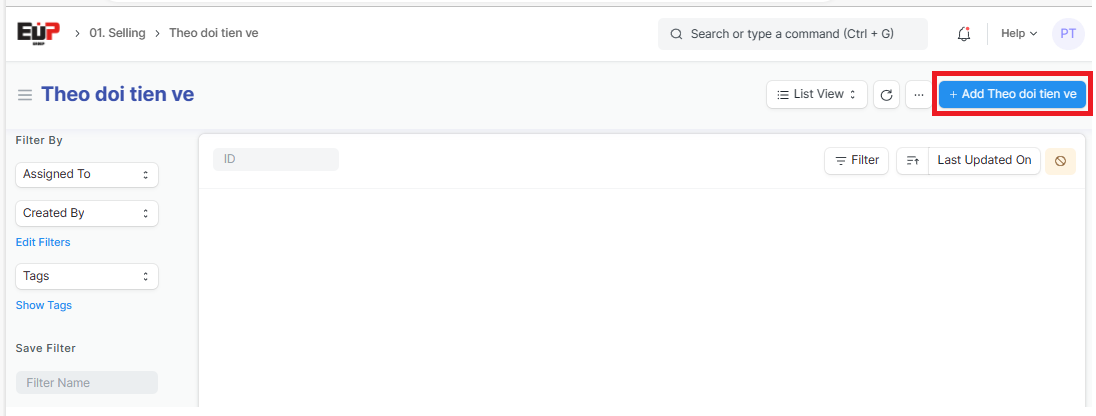
Step 1: Access the function of creating new "Track customer payments" on the system by following the link: Home page => Selling => Theo dõi tiền về (Track Received Funds) => Add Theo doi tien ve (Add Track Received Funds)
Step 2: Enter the general information of the Track Received Funds (Fields marked with * are required fields):
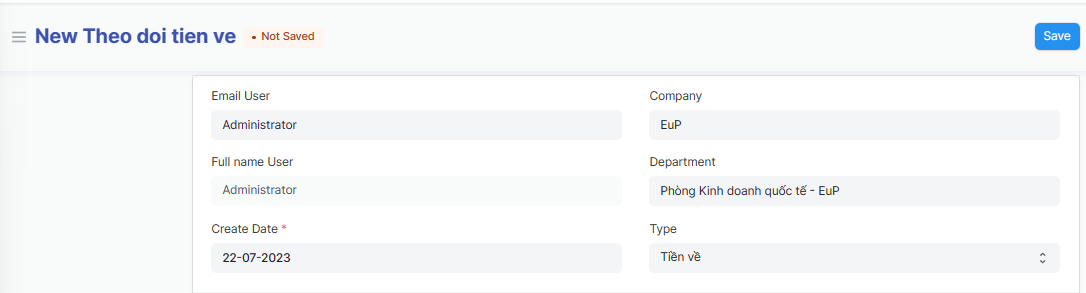
Email User:
Company:
Full name User:
Company:
Create Date:
Type:
Step 3: Enter Received Funds information (Fields marked with * are required fields):
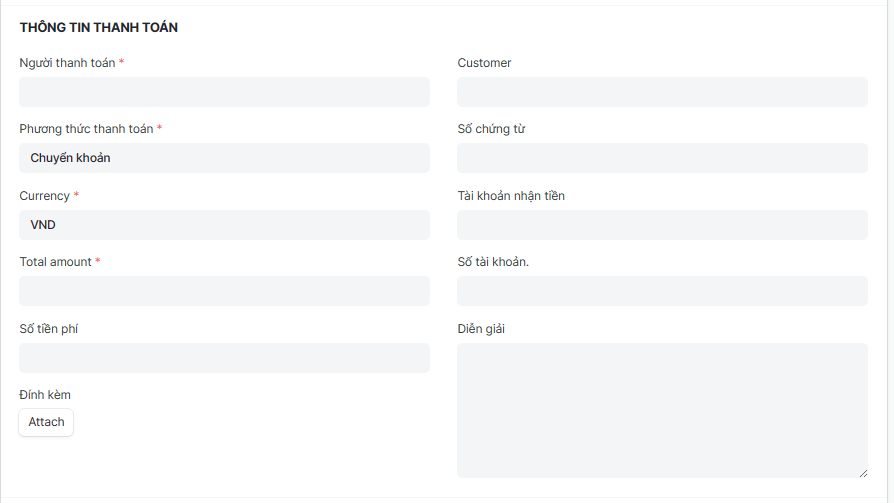
Người thanh toán (Payer):
Customer:
Phương thức thanh toán (Payment methods):
Số chứng từ (Document number):
Currency:
Tài khoản nhận tiền (Receiving account): including account number, bank name, bank address
Total amount:
Số tài khoản (Account number): Receiving account number
Số tiền phí (Fee amount):
Diễn giải (Explain):
Step 4: Enter Received Funds details:
Click on "Add row" to add one line => Click on "Edit" to Enter Received Funds details
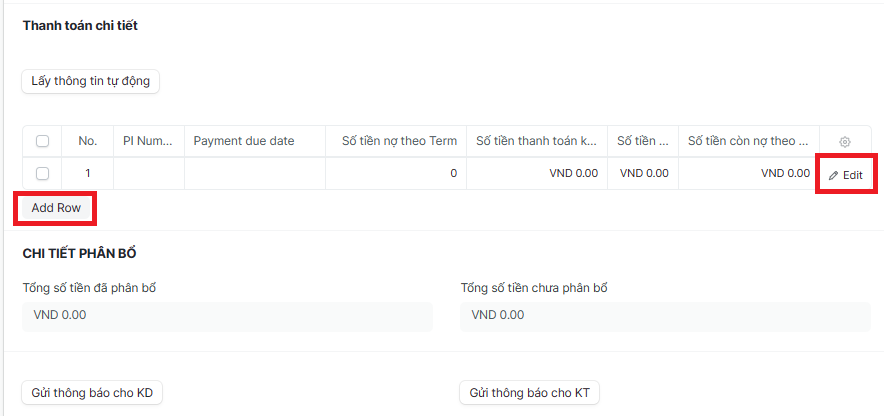
Enter Received Funds details (Fields marked with * are required fields):
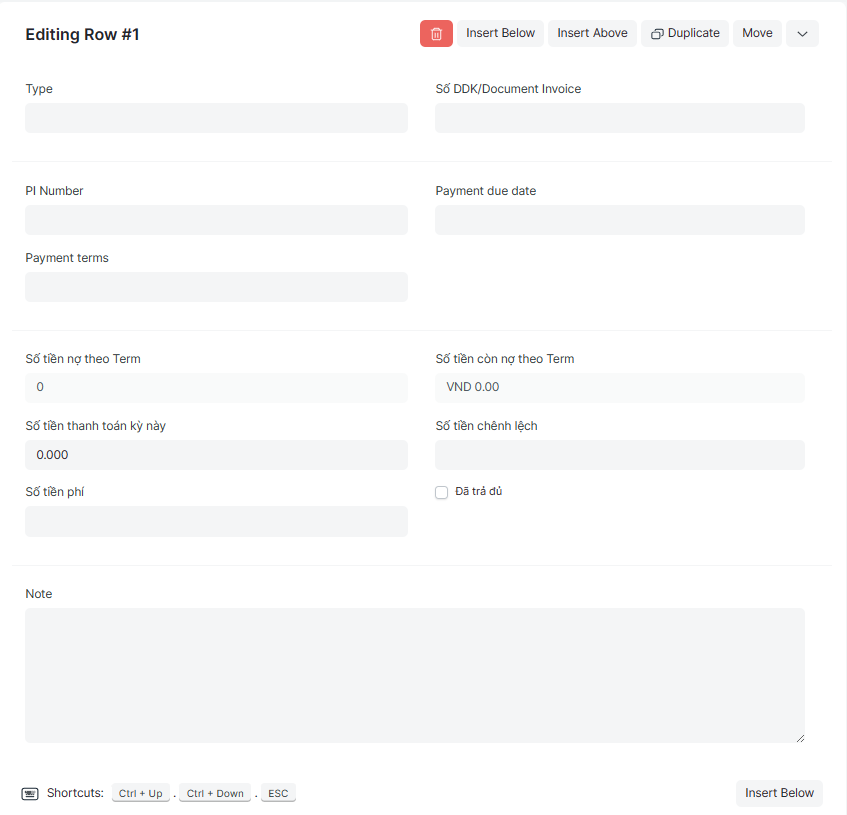
Type:
Số DDK/Document Invoice:
PI Number:
Payment due date:
Payment terms:
Số tiền nợ theo Term (Amount owed by Term):
Số tiền còn nợ theo Term (
Số tiền thanh toán kỳ này (Payment amount for this period):
Số tiền chênh lệch (difference amount):
Số tiền phí (Fee amount):
Note:
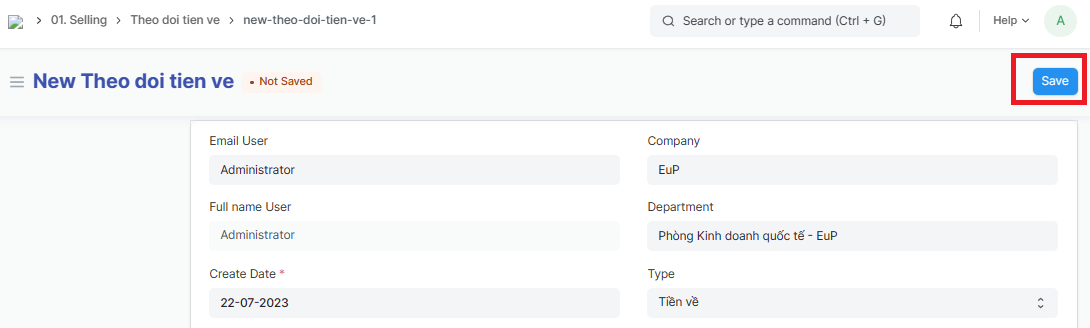
Step 5: After enter Track Received Funds => Click on "Save" to save the genarated Track Received Funds