Payment Terms Template
Payment Terms Template is a pre-made form; When creating an Order, if payment terms template have been created, go to enter Payment Terms Template => Select available terms template
1. Basic information:
The following information is necessary and should be created before creating the Payment Terms Template: (if not available before, it can be created during the selection of the corresponding item)
Payment term
Mode of Payment
2. Steps to follow:
2.1 Create a new Payment term template while creating an Sales Order:
When creating an Sales order, go to the payment terms, if no payment terms template have been created yet, or the created payment terms template do not match; Click the button “Create a new payment terms template” to create a new payment term template:
Step 1: Click on "Terms" => In the Payment Terms Template select available payment terms template; or drag the cursor down to the end => Click on "Create a new payment terms template” to create a new payment term template

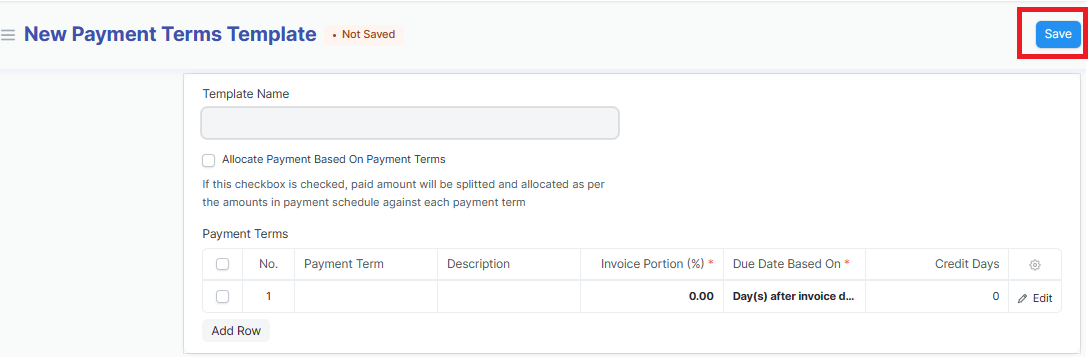
Step 2: Enter the name of the new Payment terms template => Click on "Add row" to add a new Payment term in the Payment terms template => Click on "Edit" to enter the Payment terms template details:
A Payment terms template may include one or more Payment terms; In case a Payment terms template includes multiple Payment terms, the total invoice Portion of each Payment term must be equal to 100%

Step 3: Enter the Payment terms template details (Fields marked with * are required fields):
Payment Term: Choose available Payment term or drag the cursor down to the end => Click on "Creat a new payment term" to creat a new Payment term
Invoice Portion: Enter the payment invoice portion according to the payment term
Due Date Based On: Choose Due Date Based On (Is the base date for debt calculation)
Mode of Payment: Choose the payment method
Credit Days: Is the date owed
Discount Type: Choose the Discount Type if any
Discount: Is the discount value if any

Step 4: Click on "Save" to save the generated Payment terms template
2.2 Create a new Payment term template when you have not created a Sales order: