Eup - Sample Delivery Request
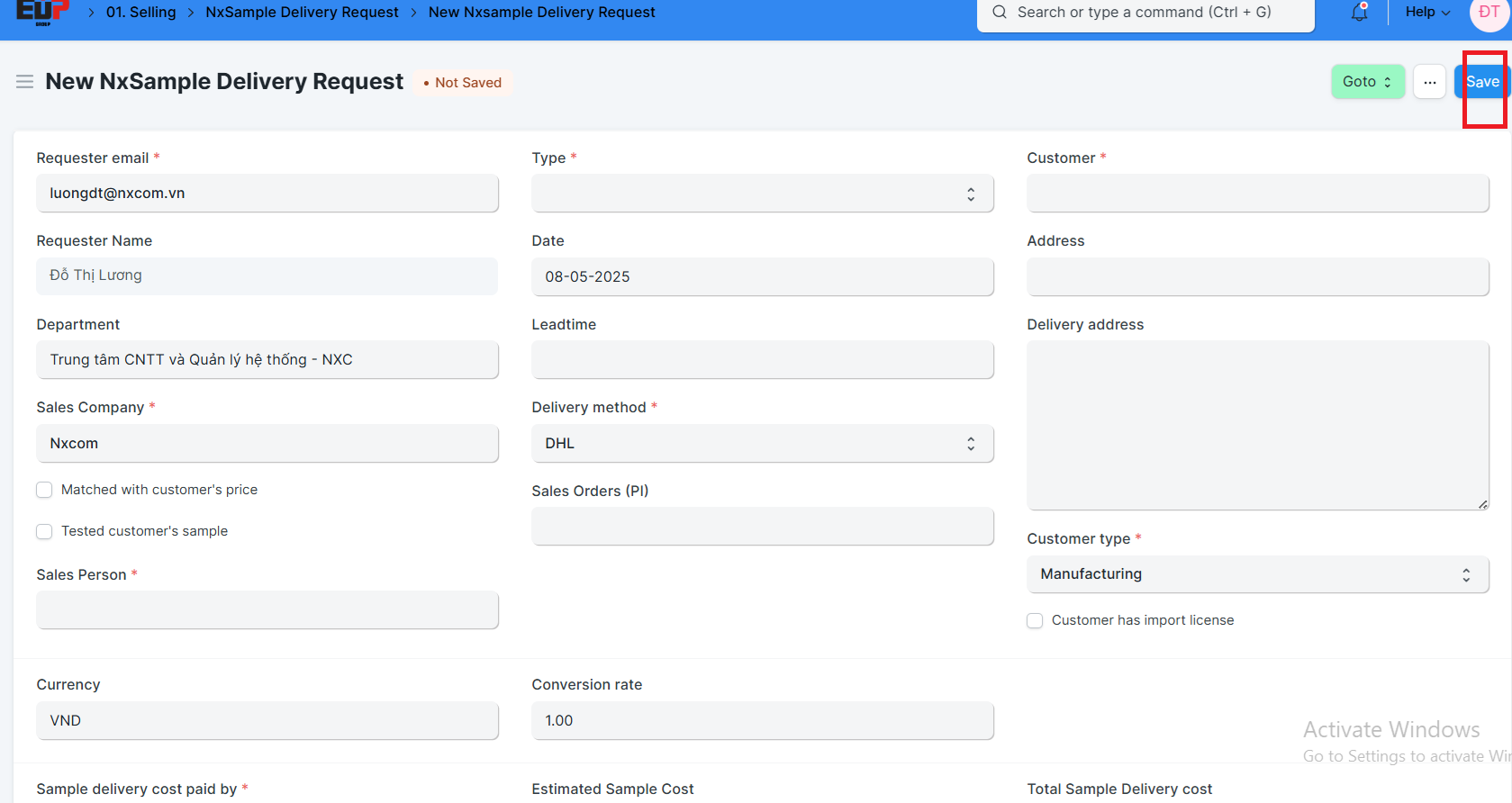
The Sample Request Form is an internal document used when a customer requests product samples. The sales staff must complete this form and submit it to the Sales Manager for approval. The form includes key information such as sample shipping costs, product codes of the samples to be sent, a brief description of the quoted prices, and the expected order details. This form ensures clear communication and proper authorization before dispatching any samples to customers.
Steps to follow:
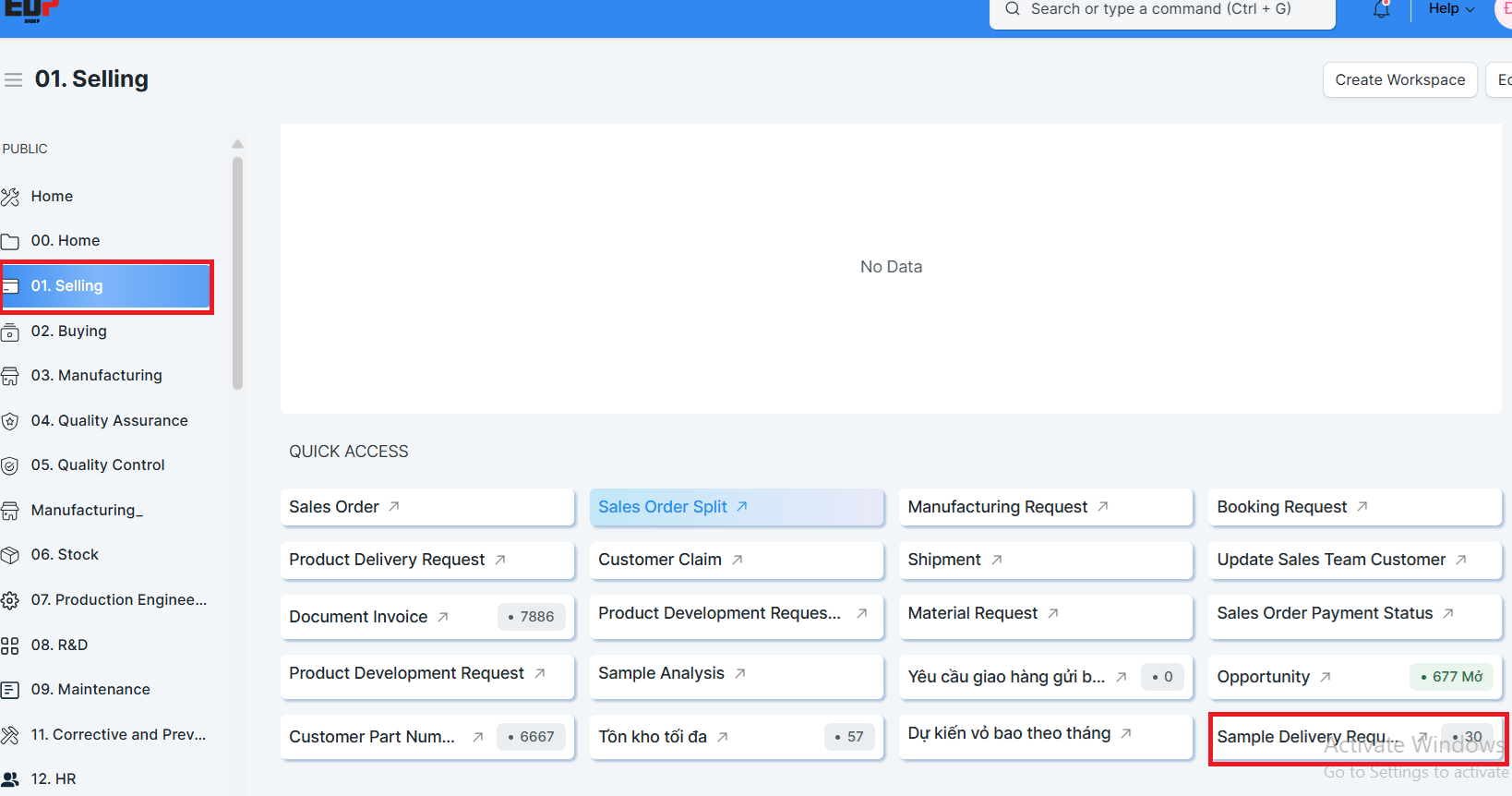
Step 1: Access the sample request form creation function via the following path:
Home > 01.Selling > Sample Delivery Request
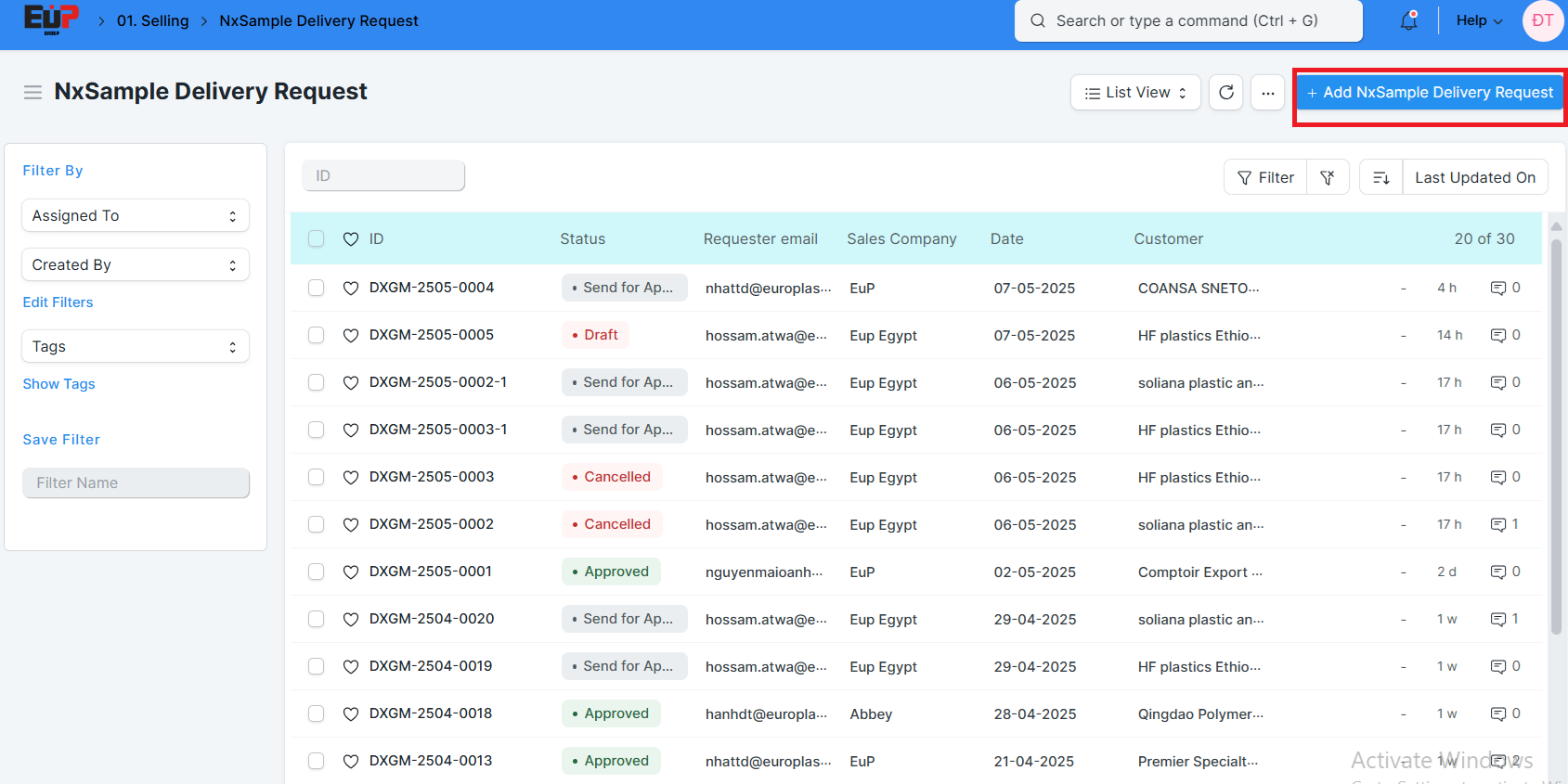
Step 2: Click Add Nxsample delievery request:
Step 3: Input the necessary information
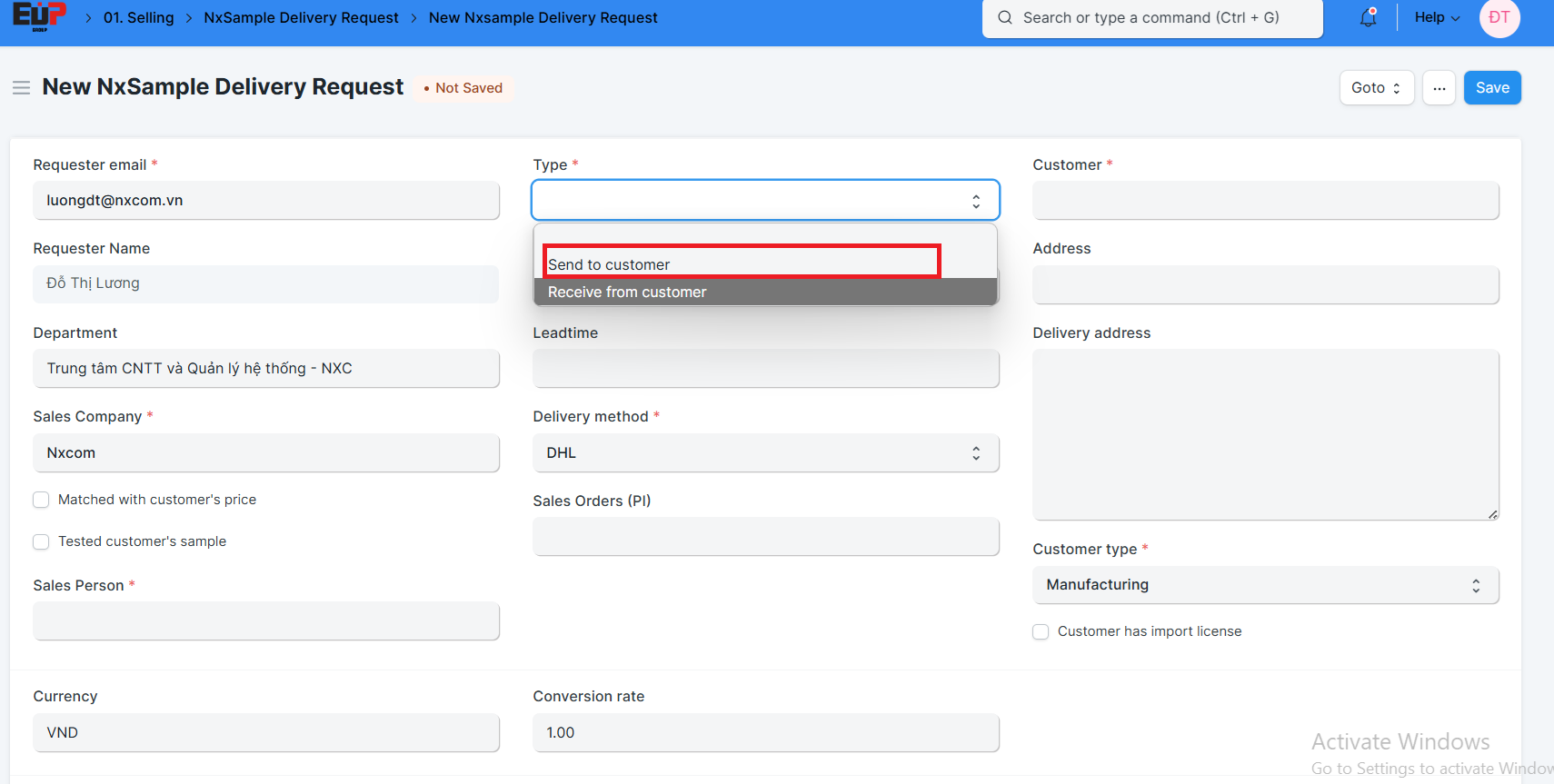
Type: Send to customer / Receive from customer;
Delivery method: Select the sample delivery method with customer's Order or by courier (DHL or Fedex or Other)
Customer, Customer type;
Sales order: If you select to ship with the customer's order, please enter the order number that will be shipped with the sample. If you select courier delivery, leave this field blank; The system will automatically generate a sample order and fill this field when the sample request is approved.
Step 4: Select the currency for the sample order:
Currency;
(The shipping fees in Step 5 and projected revenue in Step 6 will be recorded in this currency, and the generated sample order will be processed in this currency).
Step 5: Fill in the sample delivery cost
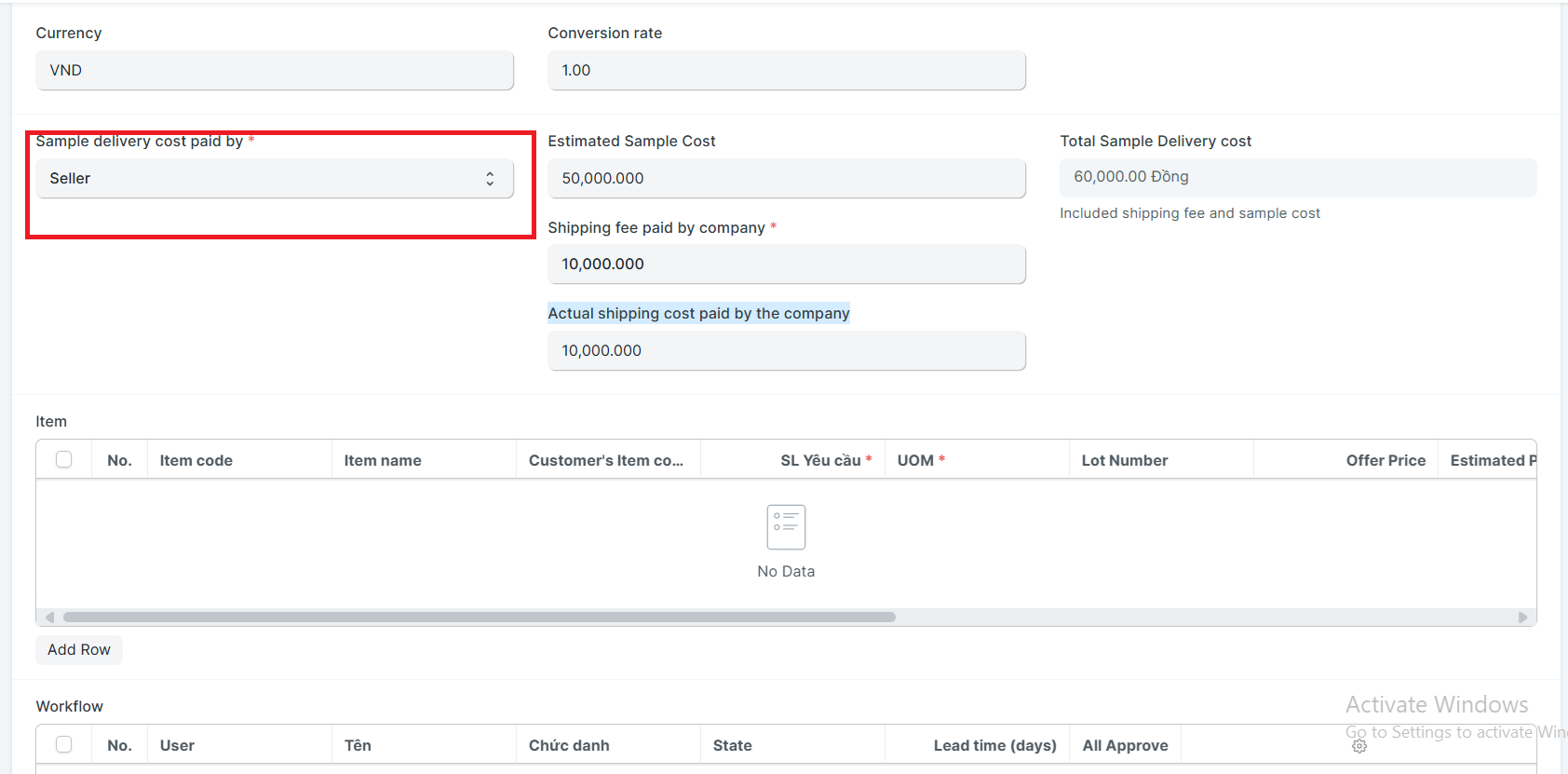
Sample delivery cost paid by: Select the party responsible for shipping fees : Seller/buyer/share;
Shipping cost paid by the customer, Shipping fee paid by company: Input the sample shipping cost for the corresponding selected parties;
Estimated Sample Cost: Input the cost of producing the sample;
Step 6: Enter the details of the sample to be sent to the customer:
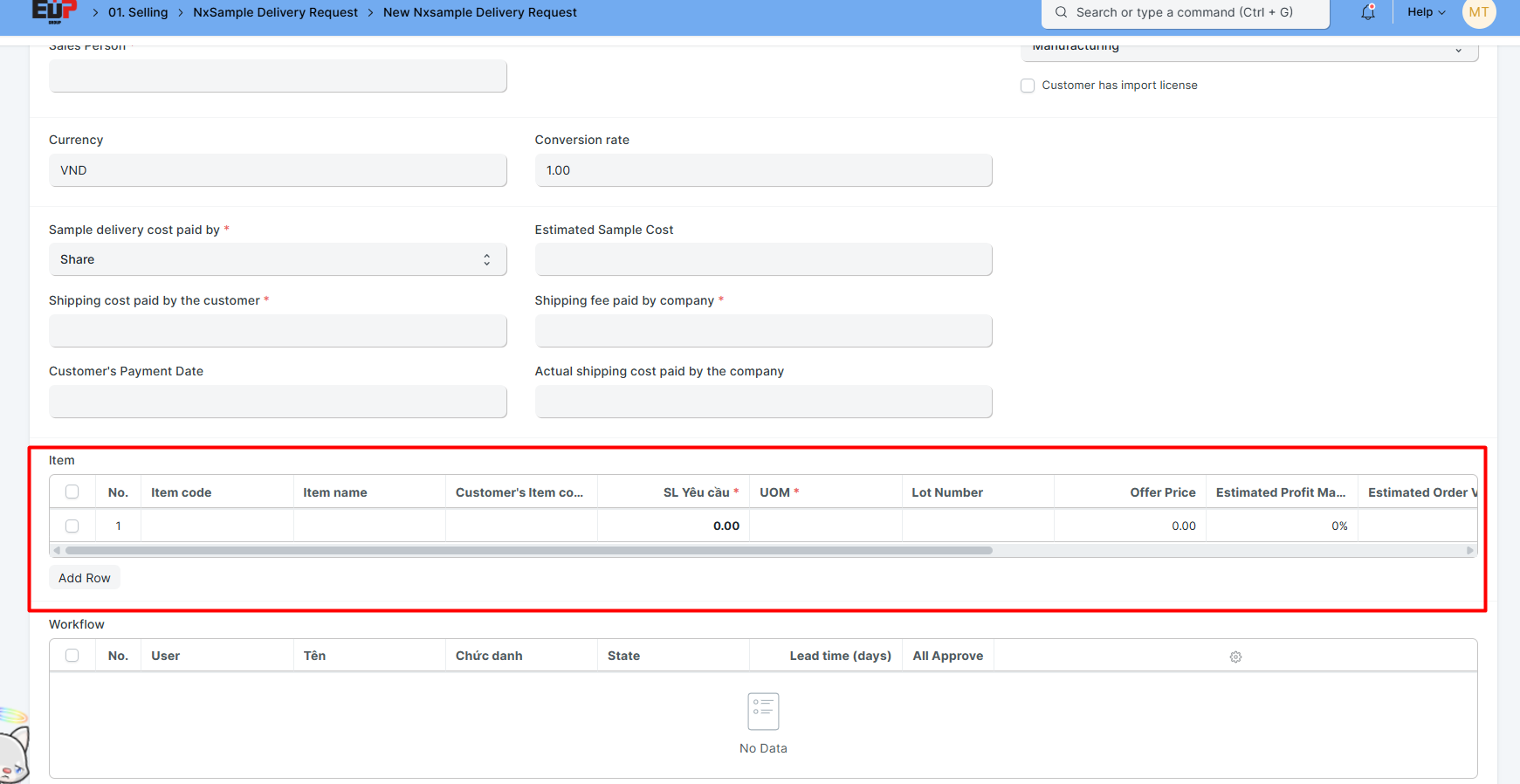
Item code, item name;
Customer's Item code;
Quantity, UOM;
Offer Price;
Estimated Profit Margin
Estimated Order Value
Applications of the product
Reasons for product advice
...
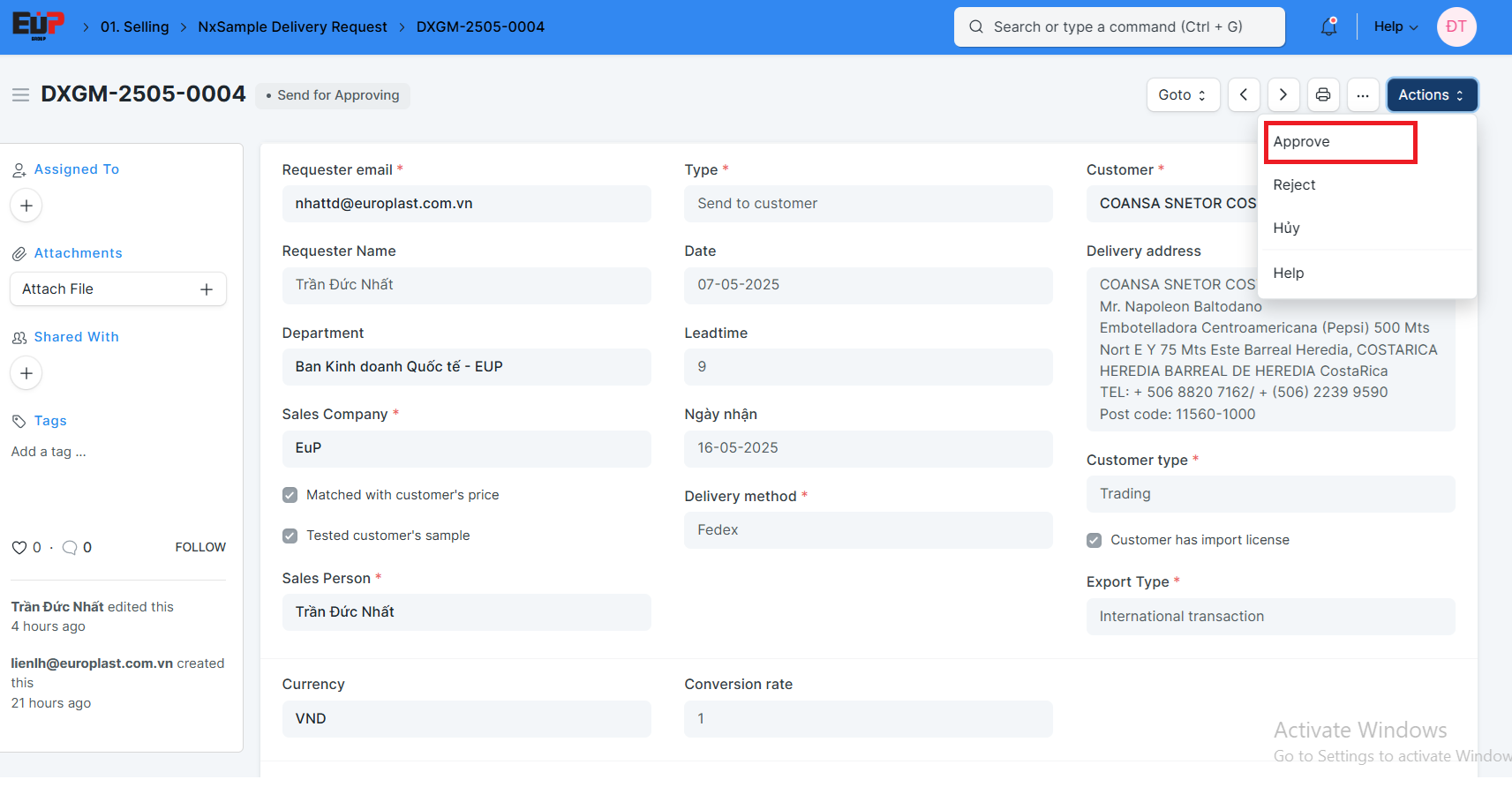
Step 7: Save and send for approval: