Estimated year production output

1. Basic information:
The following information is necessary and should be created before creating the Estimated year production output: (if not available before, it can be created during the selection of the corresponding item)
Department
Salesperson
User
Base product type
2. Steps to follow:
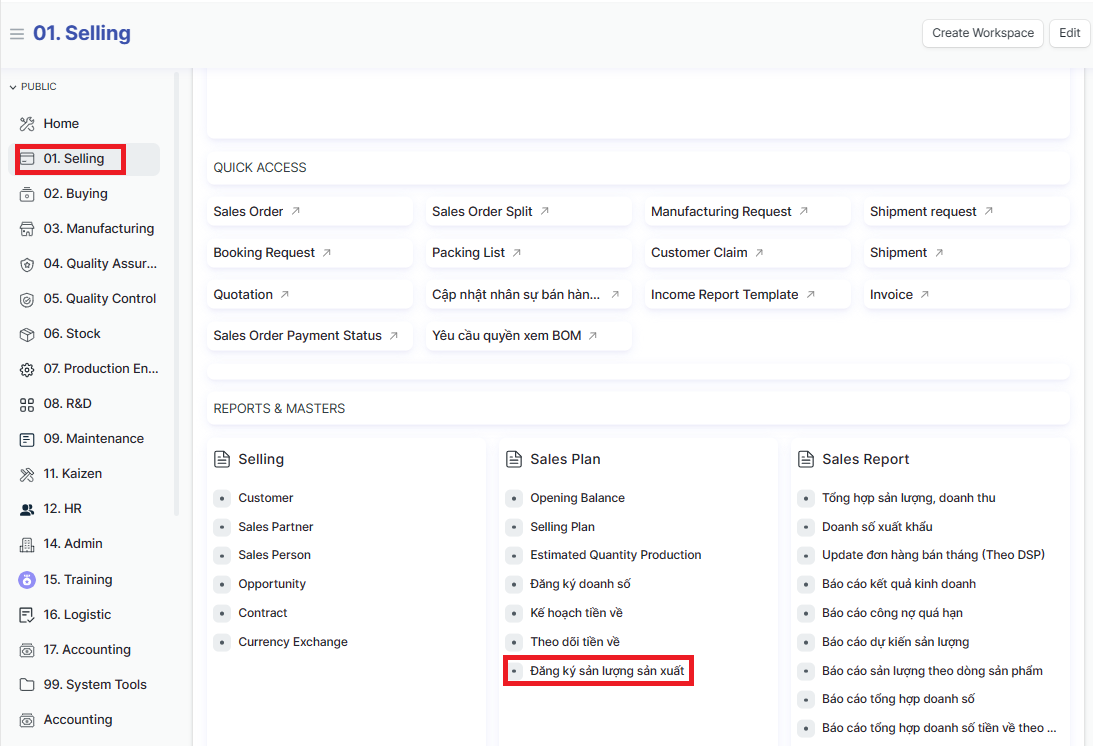
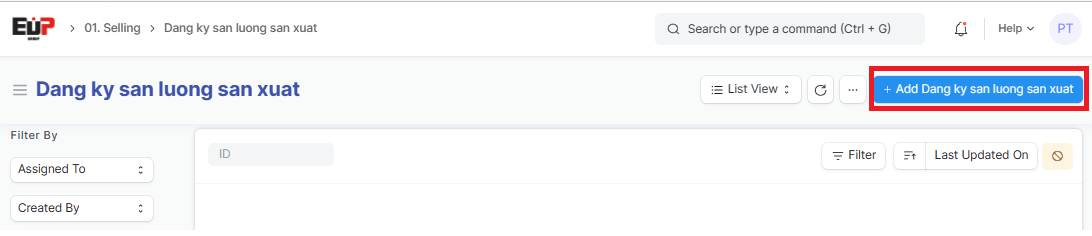
Step 1: Access the function of creating new Estimated Year Production Output on the system by following the link: Home page => Selling => Đăng ký sản lượng sản xuất (Estimated year production output) => Add Dang ky san luong san xuat (Add Estimated year production output):
Step 2: Enter the general informations of the Estimated year production output (Fields marked with * are required fields):
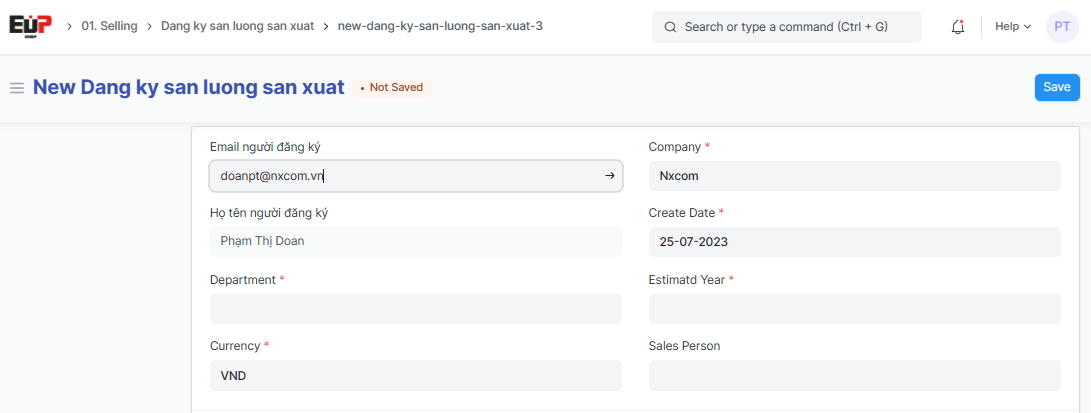
Email người đăng ký (Registrant email):
Họ tên người đăng ký (Registrant name): Autofill system after filling in the Registrant email
Department:
Currency:
Company: default acording to user
Create Date:
Estimatd Year:
Sales Person:
Step 3: Enter Estimated Year Production Output details each month:
Click on "Add row" to add one line => Enter the Estimated Production Output for each month, from January to December of the Estimated Year
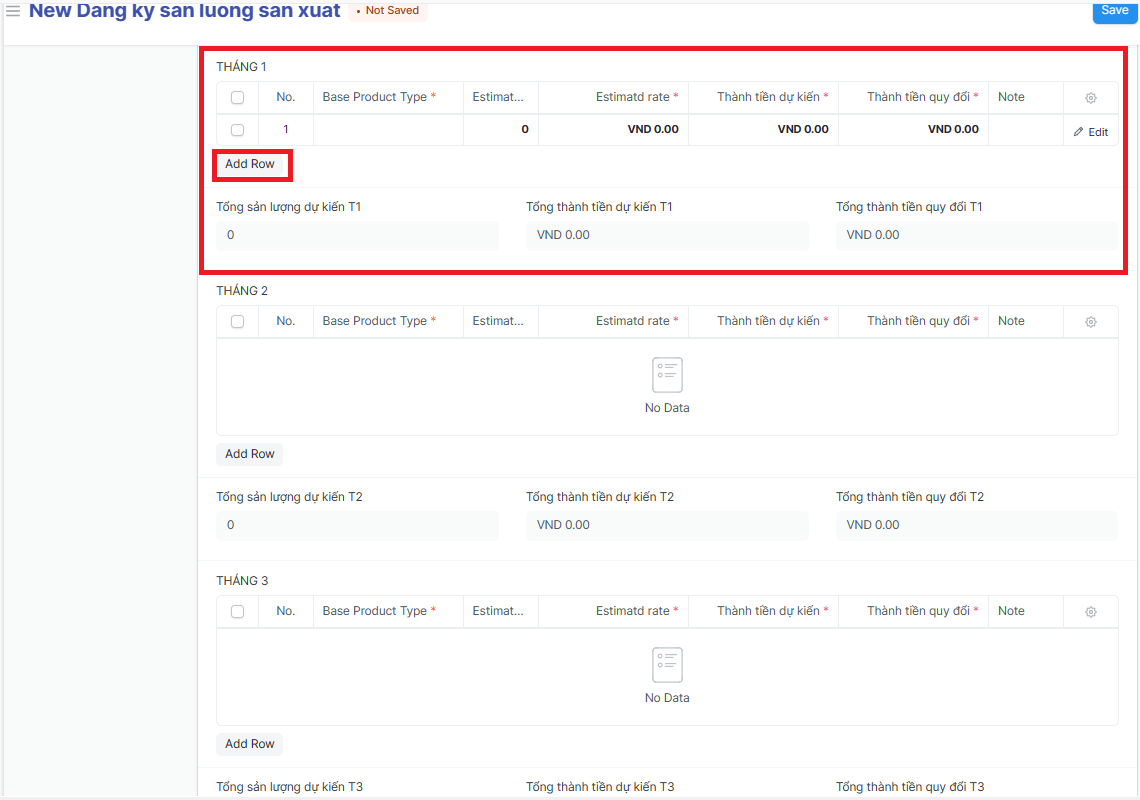
THÁNG 1 (January);
THÁNG 2 (February):
THÁNG 3 (March):
THÁNG 4 (April):
THÁNG 5 (May):
THÁNG 6 (June):
THÁNG 7 (July):
THÁNG 8 (August):
THÁNG 9 (September):
THÁNG 10 (October)
THÁNG 11 (November):
THÁNG 12 (December):
Base Product Type:
Estimatd Quantity:
Estimatd rate:
Thành tiền dự kiến (Estimated amount):
Thành tiền quy đổi (Converted amount):
Note:
Tổng sản lượng dự kiến T1 (Estimatd Quantity in January):
Tổng thành tiền dự kiến T1 (Estimated amount in January):
Tổng thành tiền quy đổi T1 (Converted amount in January):.....
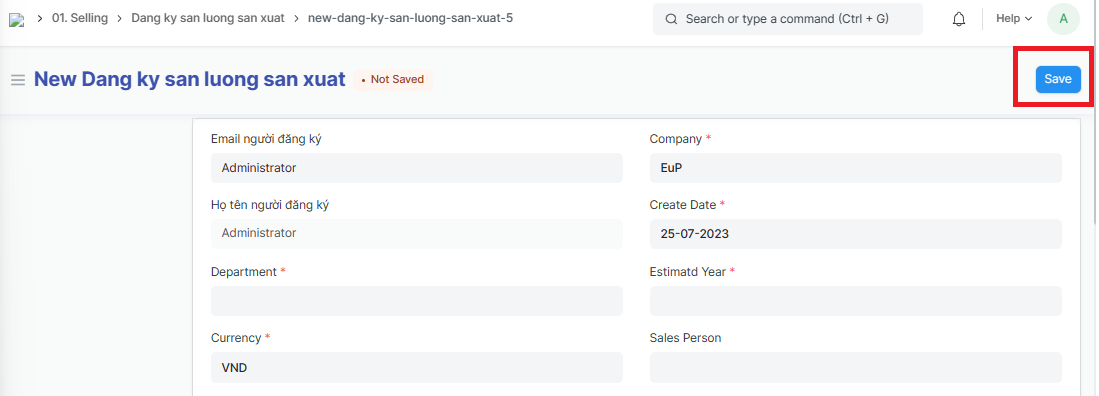
Step 4: Click on "Save" to save the genarated Estimated Year Production Output