Customer claim
Customer claim is a ticket recording errors encountered in a shipment that the customer responds to after the sale
Customer claim form also records the error processing status of the responded shipment; When the processing status changes, stakeholders will receive an email notifying them of the change
Process of recording and handling Customer claim:
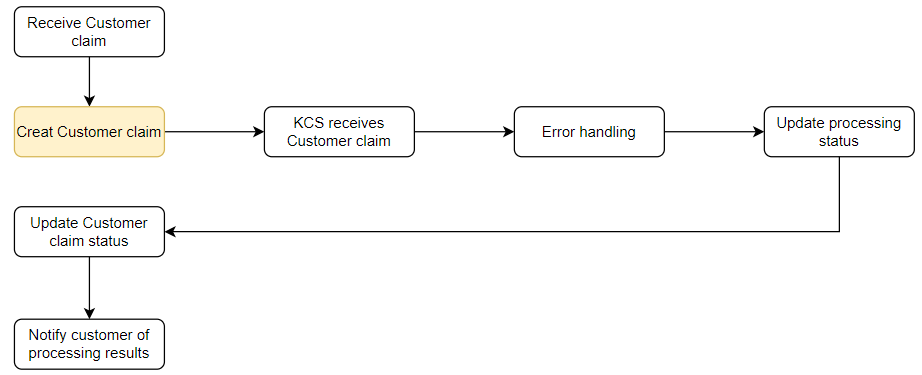
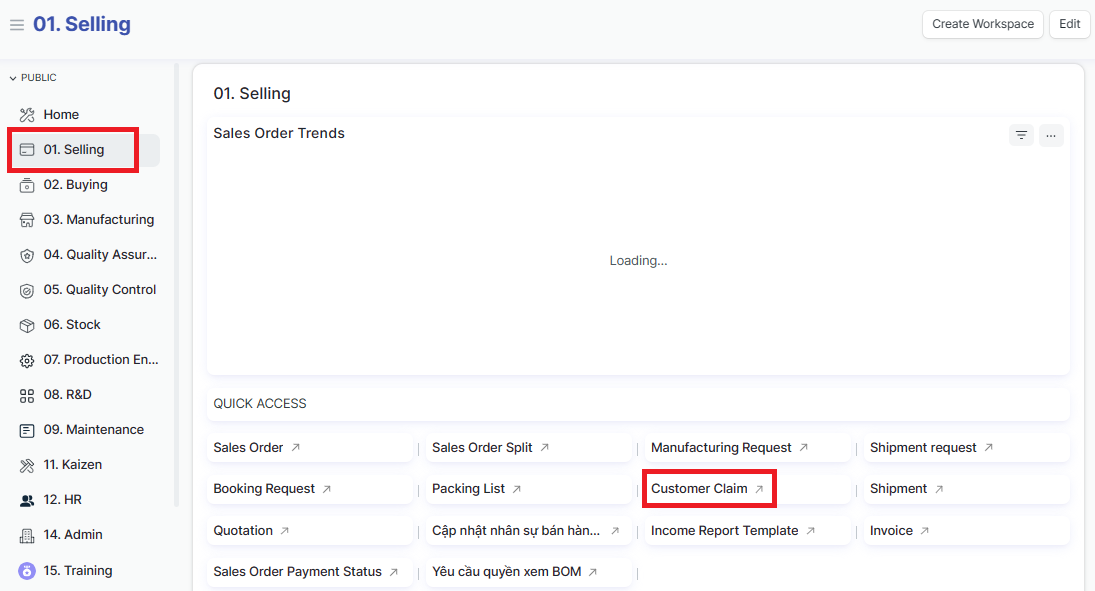
Access the function of creating new Customer claim on the system by following the link: Home page => Selling => Sales order => Customer claim
1. Basic information:
The following information is necessary and should be created before creating the Customer claim: (if not available before, it can be created during the selection of the corresponding item)
Customer
PI No
Batch
Error type
2. Steps to follow:
Step 1: Access the function of creating new Customer claim on the system by following the link: Home page => Selling => Sales order => Customer claim => Add Phan hoi khach hang (Add Customer claim)
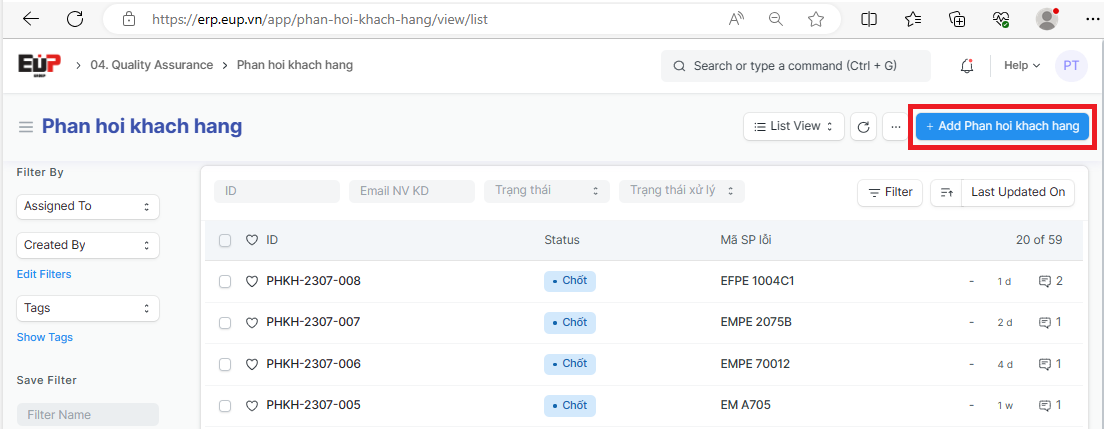
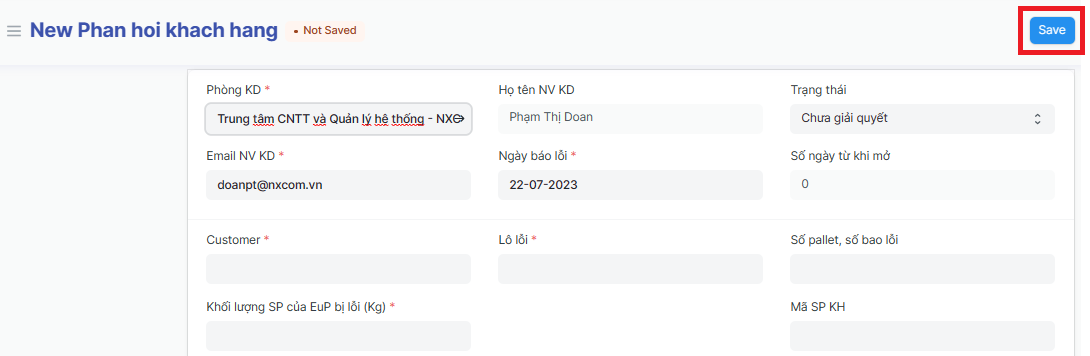
Step 2: Enter the overview informations of Customer claim (Fields marked with * are required fields):
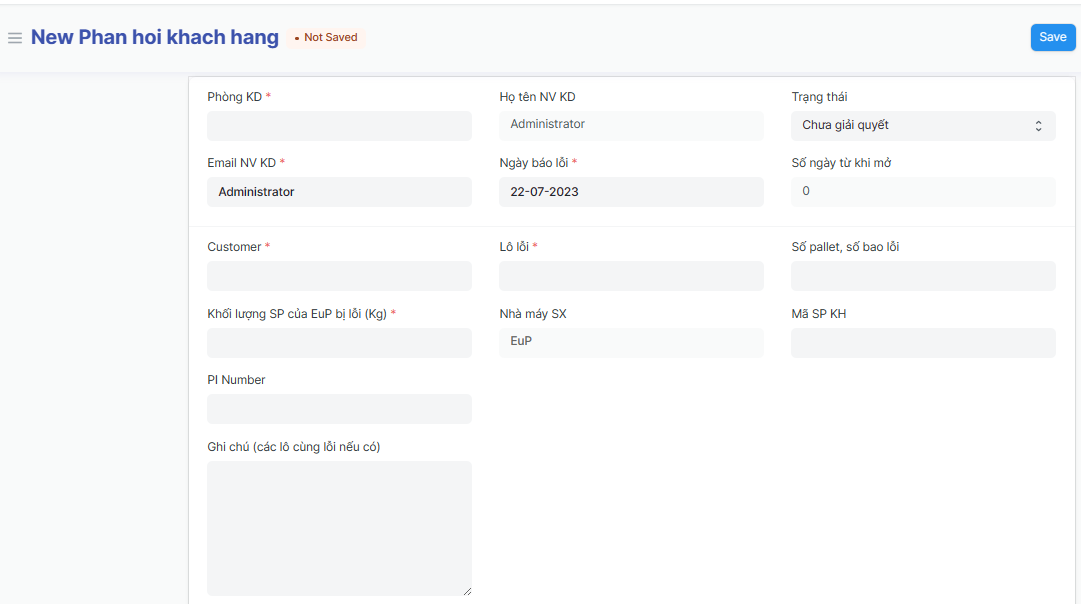
Phòng KD (Deparment):
Họ tên NV KD (Sales name):
Trạng thái (Processing statust):
Email NV KD (Sales email):
Ngày báo lỗi (Error date):
Số ngày từ khi mở (Qty of days since opening):
Customer:
Lô lỗi (Error batch):
Số pallet, số bao lỗi (Qty of error pallet/ bag)
Khối lượng SP của EuP bị lỗi (Kg) (Qty of error item - Kilogam):
Nhà máy SX (Factory):
Mã SP KH (Customer code):
PI Number:
Ghi chú (các lô cùng lỗi nếu có) (Note): Enter the notes, the same error batch if available
Step 3: Enter shipment error type details (Fields marked with * are required fields):
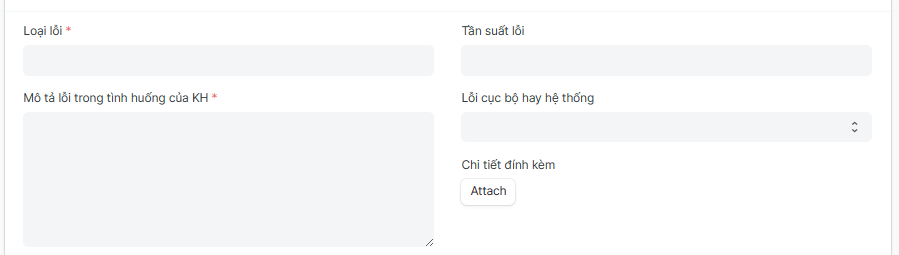
Loại lỗi (Error type):
Tần suất lỗi (Error frequency):
Mô tả lỗi trong tình huống của KH (Description of the error in the Customer's situation):
Lỗi cục bộ hay hệ thống (Local or system error):
Step 4: Enter information about the final product produced by the customer (Fields marked with * are required fields):
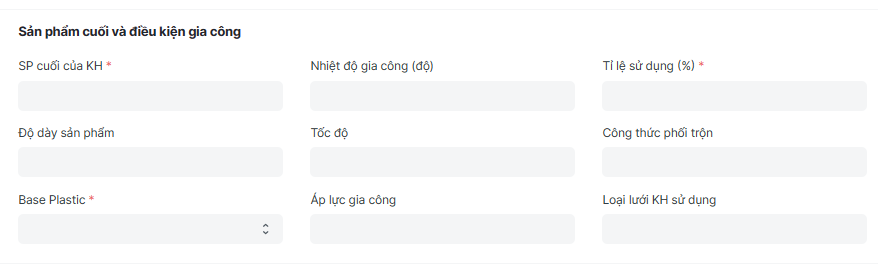
SP cuối của KH (Final product):
Độ dày sản phẩm (Product thickness):
Base Plastic:
Nhiệt độ gia công (độ) (Machining temperature):
Tốc độ (Speed):
Áp lực gia công (Machining pressure):
Tỉ lệ sử dụng (%) (Usage rate - %):
Công thức phối trộn (Mixing recipe):
Loại lưới KH sử dụng (Mesh type customer use):
Step 5: Enter the information of receiving person if available:
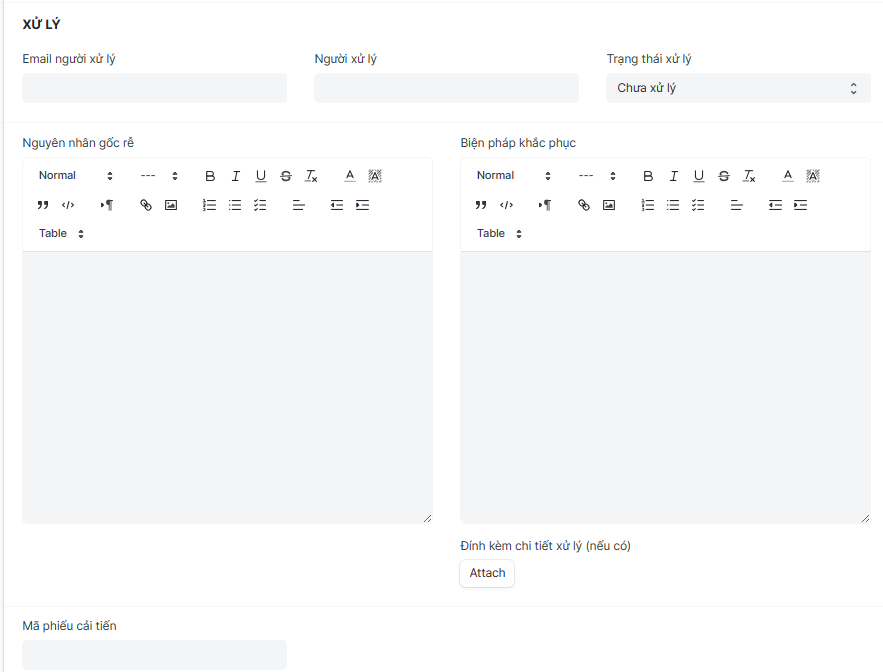
Email người xử lý (Handler email):
Người xử lý (Handler):
Trạng thái xử lý (Processing status):
Nguyên nhân gốc rễ (Root cause):
Biện pháp khắc phục (Remedies):
Mã phiếu cải tiến (Improved voucher code):
Step 6: After enter the informations of Customer claim => Click on "Save" to save the genarated Customer claim (Fields marked with * are required fields):
3. (Automatic) operations of the system after closing the customer claim:
After the Customer claim is finalized, the system will send an email notification to the receiving department to handle the error;
During the process of handling errors, the processing department updates the processing status, the system will send notification emails to relevant departments to understand the status