Product Delivery Request
After the goods are manufactured, the sales order has been booked according to the booking request; Based on the delivery schedule of the Sales orders, the sales support staff will make an shipment plan to arrange and estimated delivery; The warehouses based on the information on the shipment plan, prepare the goods and export according to the Product Delivery Request;
Product Delivery Request is a function on the ERP system, the sales support staff when planning shipments will create Product Delivery Request on the system; Shipment plan is a report that summarizes the Product Delivery Requestes for a period of time in the future
1. Basic information:
The following information is necessary and should be created before creating the Shipment request: (if not available before, it can be created during the selection of the corresponding item)
Customer
SO/ PI
Term
Shipping line...
2. Steps to follow:
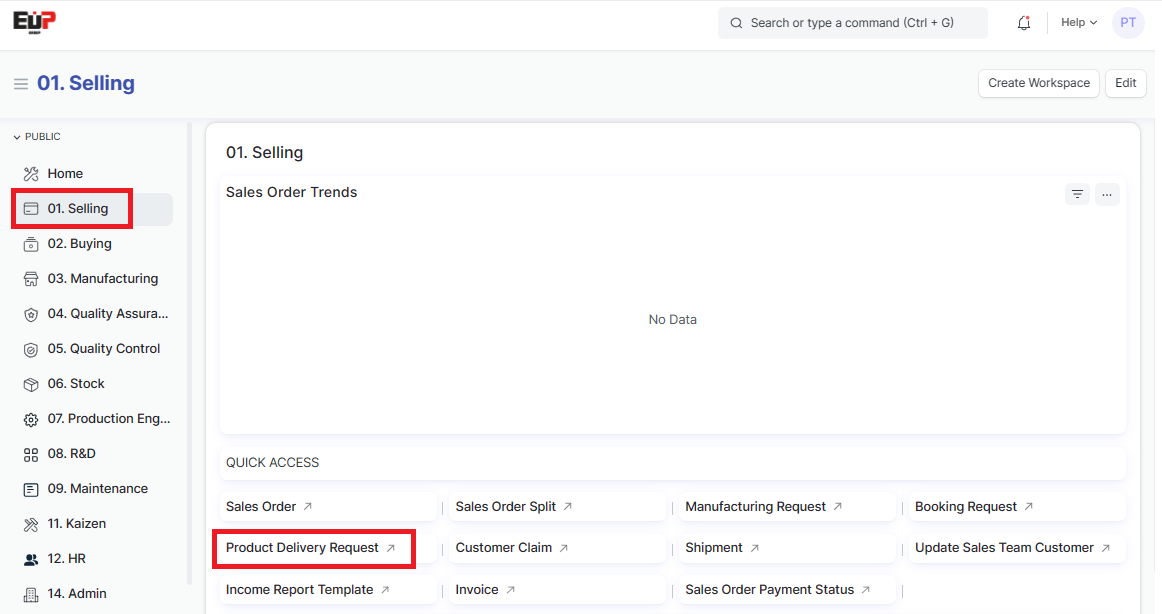
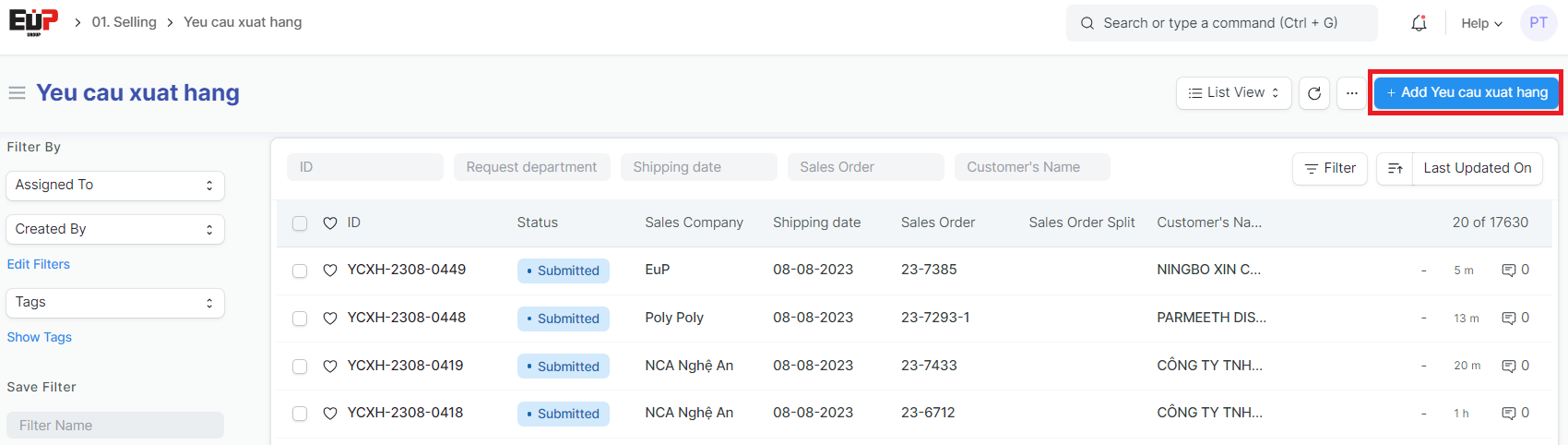
Step 1: Access the function of creating new Manufacturing request on the system by following the link: Home page => Selling => Product Delivery Request => Add Yeu cau xuat hang (Add Shipment Request)
Step 2: Enter the Product Delivery Request details (Fields marked with * are required fields)
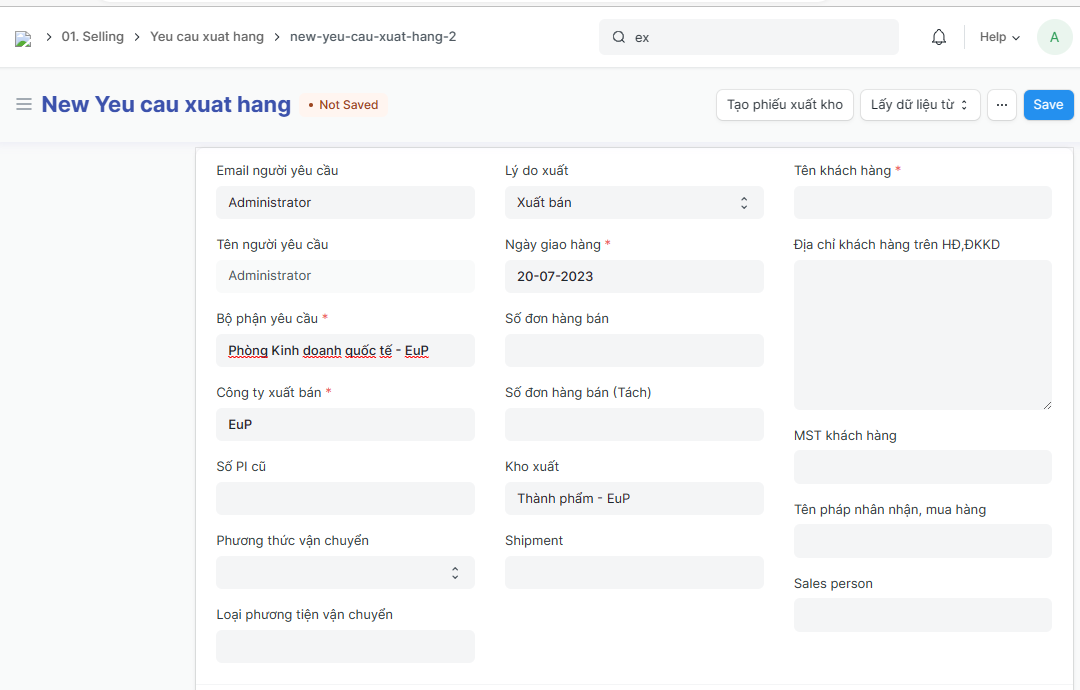
Email người yêu cầu (Petitioner's email):
Lý do xuất (Reasons for export):
Tên khách hàng (Customer name):
Tên người yêu cầu (Petitioner):
Ngày giao hàng (delivery date):
Địa chỉ khách hàng trên HĐ,ĐKKD (Customer address - address on contract/ business registration):
Bộ phận yêu cầu (Department):
Công ty xuất bán (Sales company ):
Số đơn hàng bán (SO number):
Số đơn hàng bán (Tách) (PI - Split sales order number):
MST khách hàng (Customer Tax)
Tên pháp nhân nhận, mua hàng (Consignee/ purchase legal entity):
Sales person:
Số PI cũ (Old PI number):
Kho xuất (Source Warehouse):
Shipment:
Phương thức vận chuyển (Shipping method):
Loại phương tiện vận chuyển (Shipping type):
Step 3: Enter the international shipping details
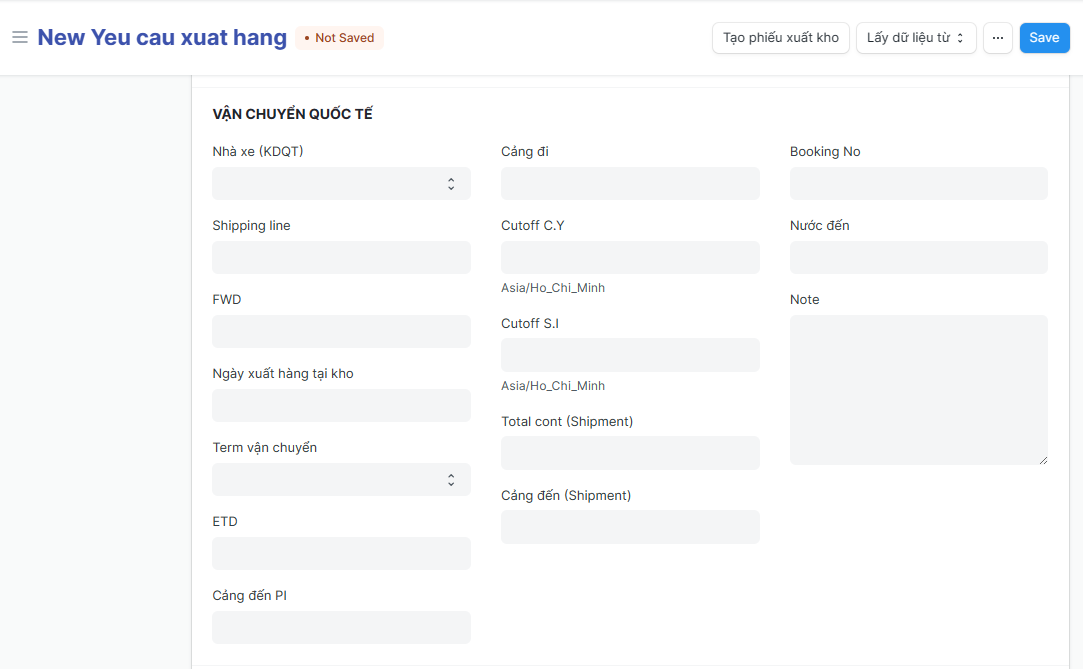
Nhà xe (KDQT) (Transporters/ Freight forwarder):
Shipping line:
FWD (Forwarders):
Ngày xuất hàng tại kho (Delivery date ):
Term vận chuyển (Ecoterms):
ETD (Estimated to Departure):
Cảng đến PI (Port of Discharge):
Cảng đi (Port of Loading):
Cutoff C.Y (Cutoff container yard):
Cutoff S.I (Cutoff Shipping Instruction):
Total cont (Shipment):
Cảng đến (Shipment):
Booking No:
Nước đến (importing country):
Note:
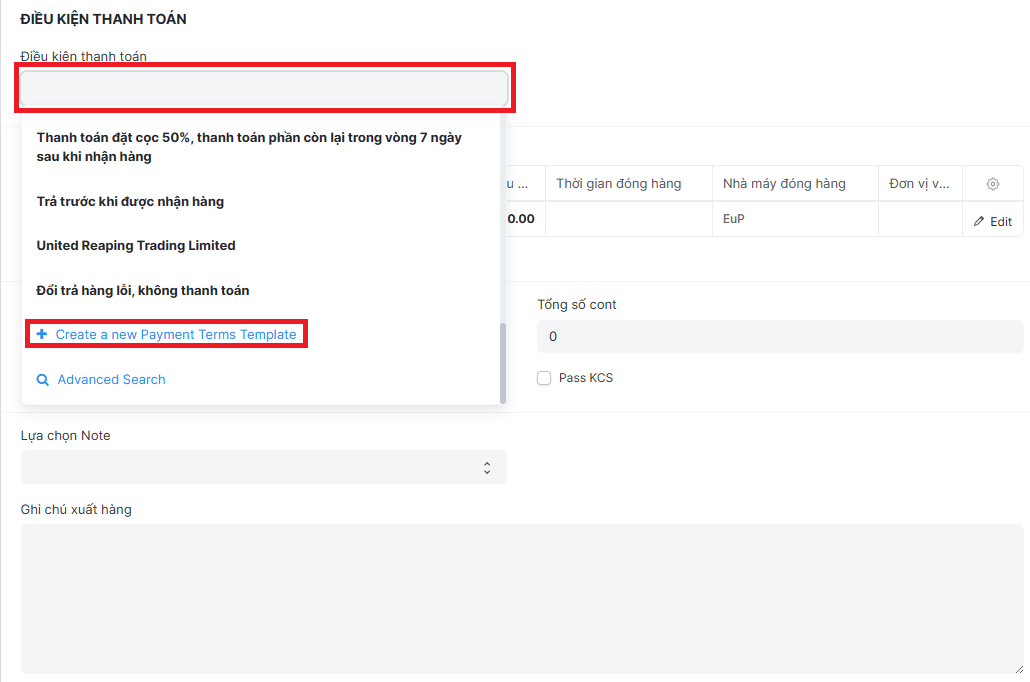
Step 4: Choose available Payment term; or drag the cursor down to the end => Click on "Create a new Payment terms template” to create a new
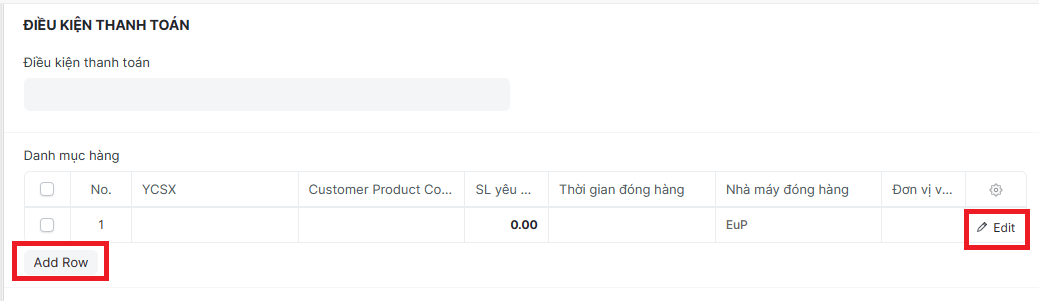
Step5: Click on "Add row" to add one line, Click on "Edit" to Enter item details:
Step 6: Enter item informations (Fields marked with * are required fields):
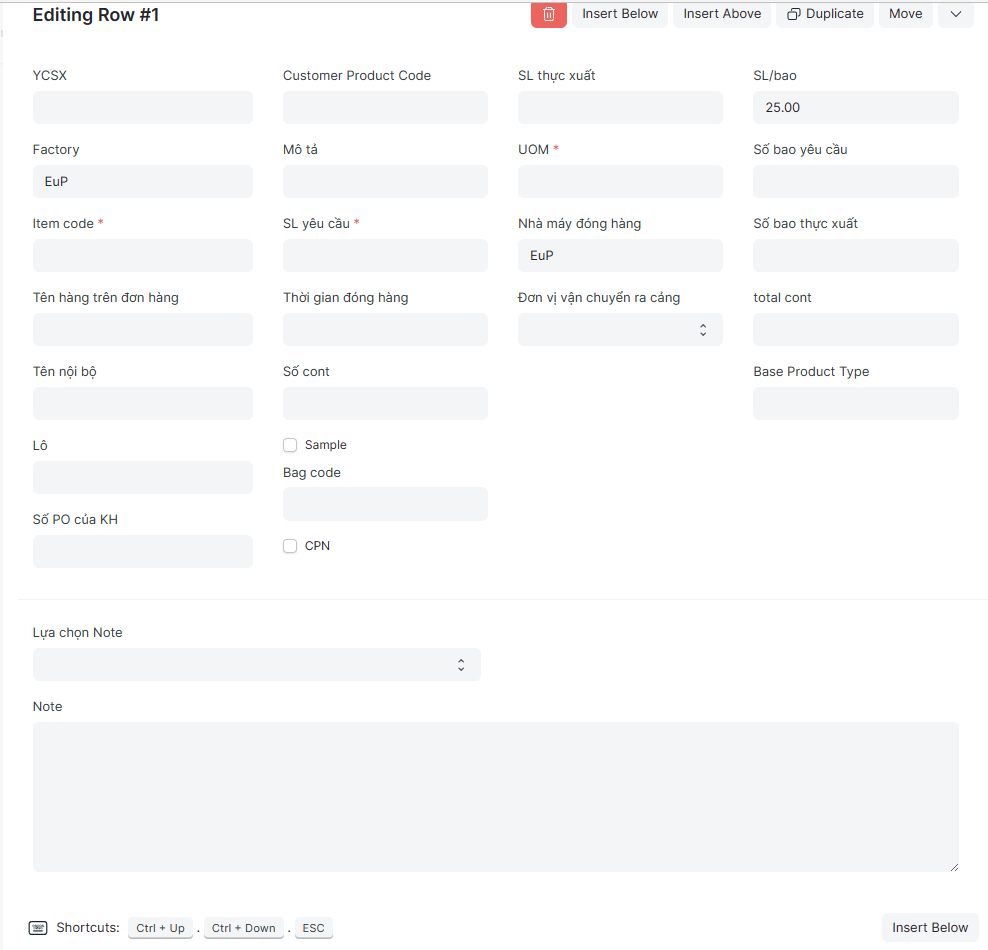
YCSX (Manufacturing request):
Factory:
Item code:
Tên hàng trên đơn hàng (Item name - on Sales order):
Tên nội bộ (Item name - product name):
Lô (Bacth):
Số PO của KH(Customer PO No):
Customer Product Code:
Mô tả (Description):
SL yêu cầu (Qty requested):
Thời gian đóng hàng (Packing time):
Số cont (Qty of Cont):
Bag code:
SL thực xuất (Qty exported):
Nhà máy đóng hàng (Packing factory)
Đơn vị vận chuyển ra cảng (Transporters/ Freight forwarder):
SL/bao (Qty per bag):
Số bao yêu cầu (Qty bags requested):
Số bao thực xuất (Qty bags exported):
Total cont:
Base Product Type:
Step 7: Enter the other information if need
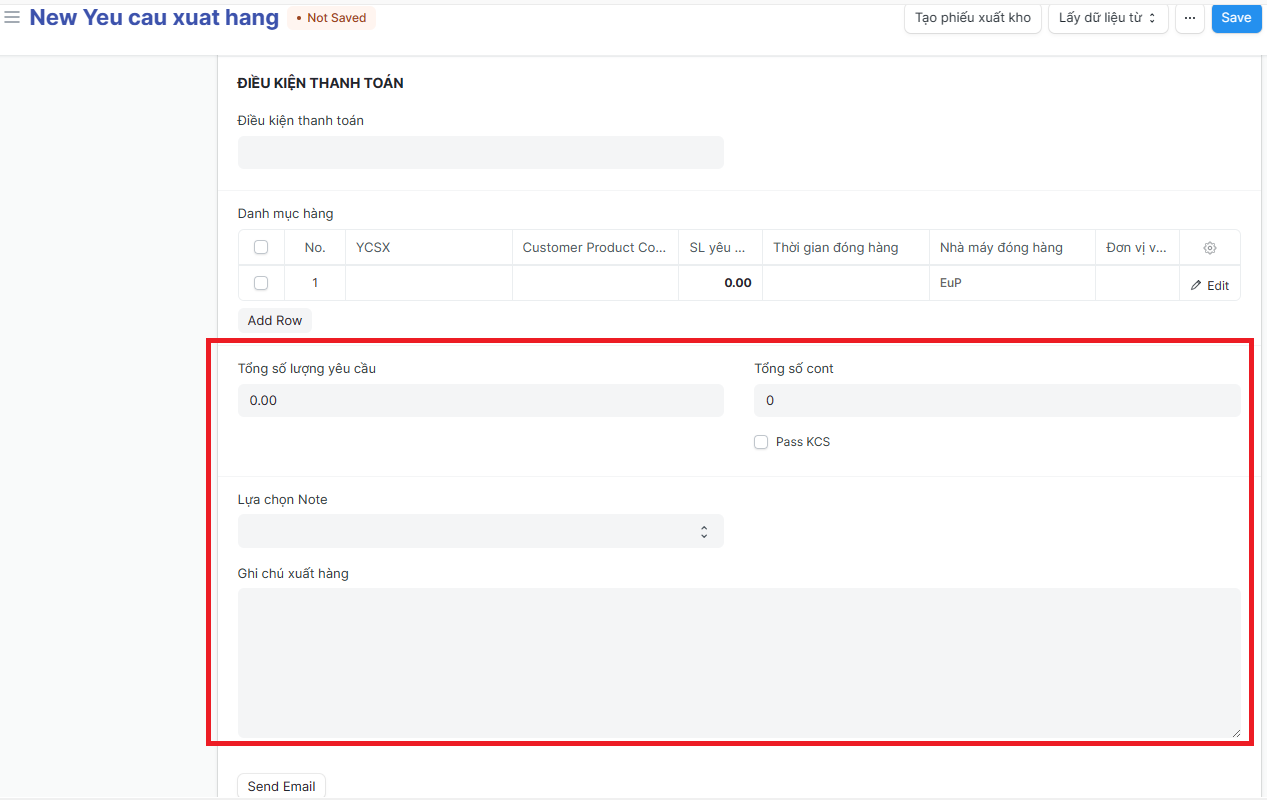
Tổng số lượng yêu cầu (Total Qty request):
Tổng số cont ((Total Qty of cont):
Lựa chọn Note (Note selection): Choose one of the available (Manual loading, Fumigation, Accreditation,...)
Ghi chú xuất hàng (Note):
Step 8: Click on "Send email" => enter and choose the informations of email (To, Subject, Message...) => Click on "Send" to send email to Related people
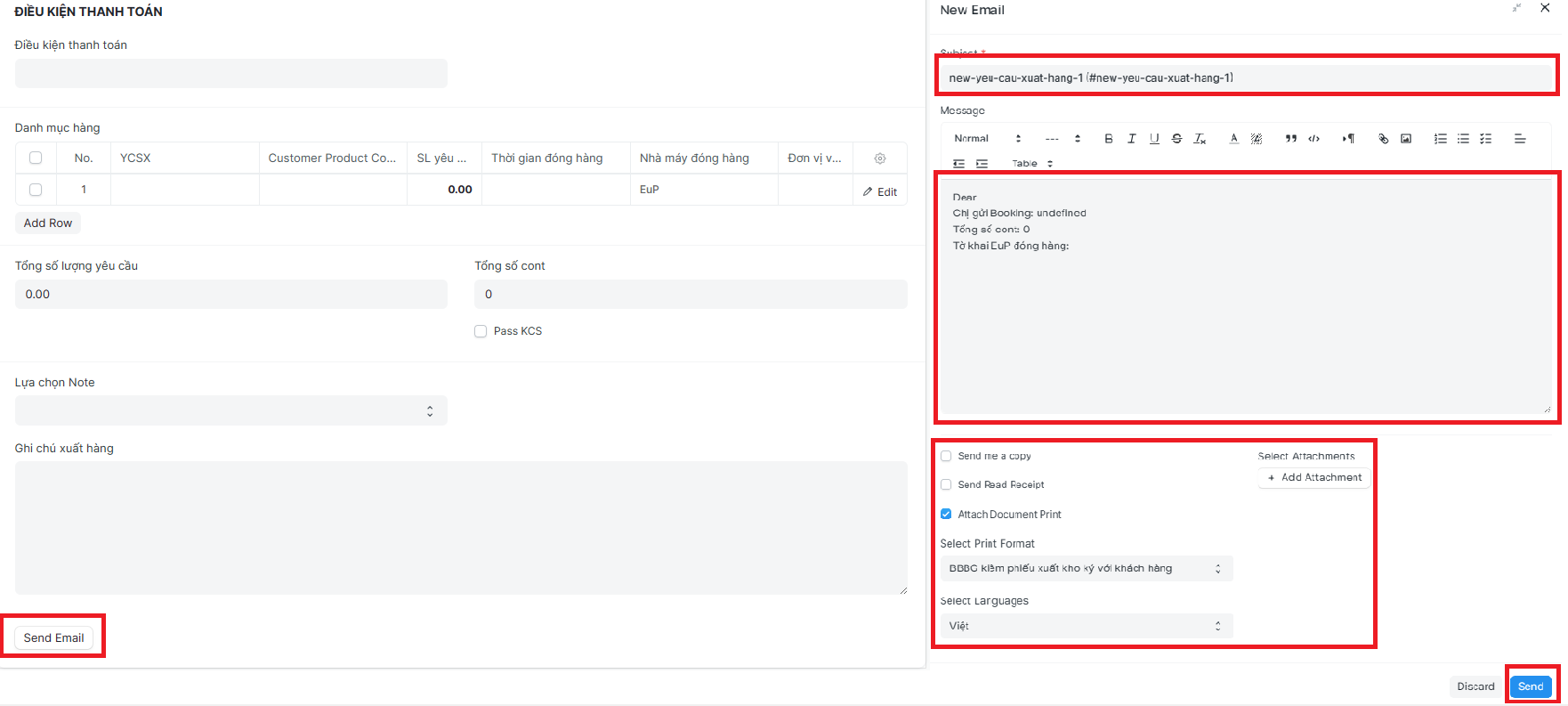
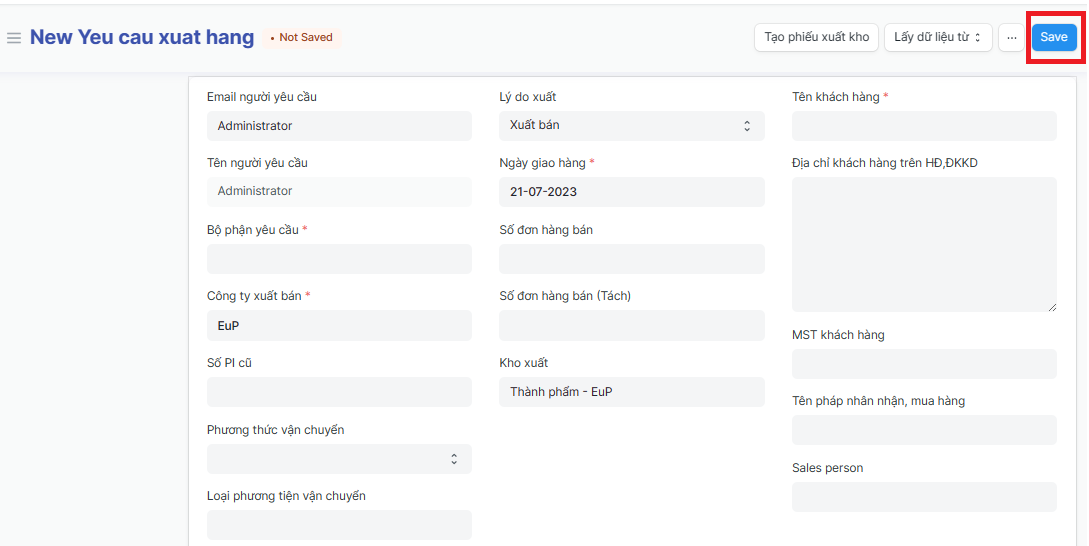
Step 9: Return to the Delivery information page => Click on "Save" to save the genarated Product Delivery Request