Manufacturing request
Manufacturing request is a step in the sales process, created after the contract/PI is signed; Manufacturing request contain all informations about the product, the time it takes to have goods in stock so that the Production Planning department production planning and delivery on time.
Manufacturing request are also created to produce products for storage purposes, preparing inventory in advance for a product type
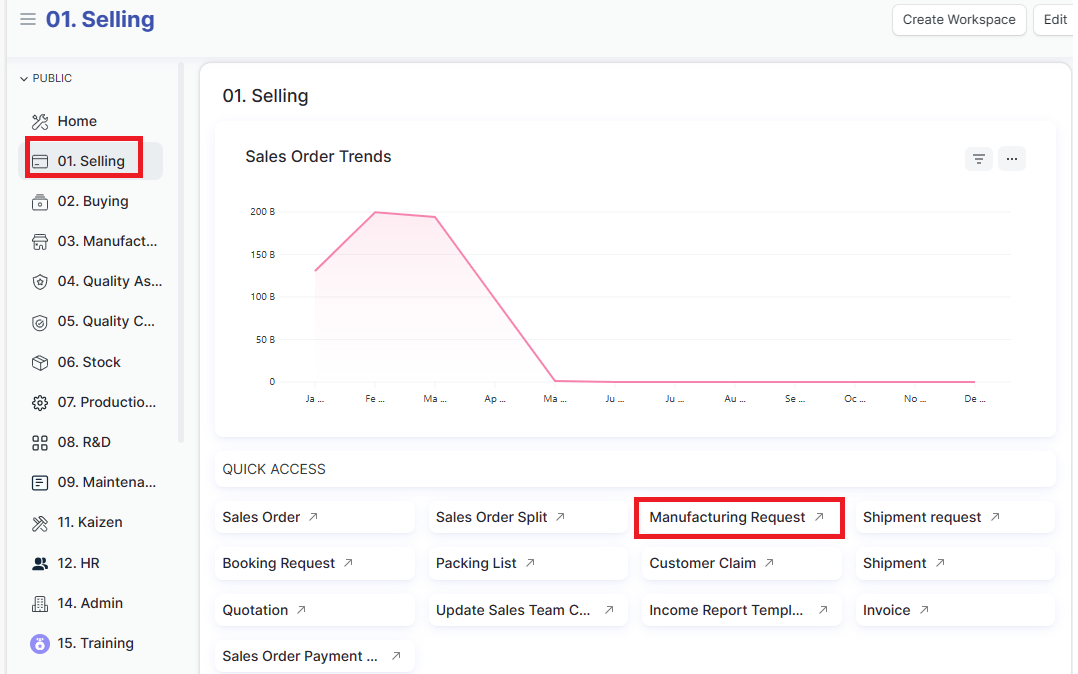
Access the function of creating new Manufacturing request on the system by following the link:
Home page => Selling => Manufacturing request
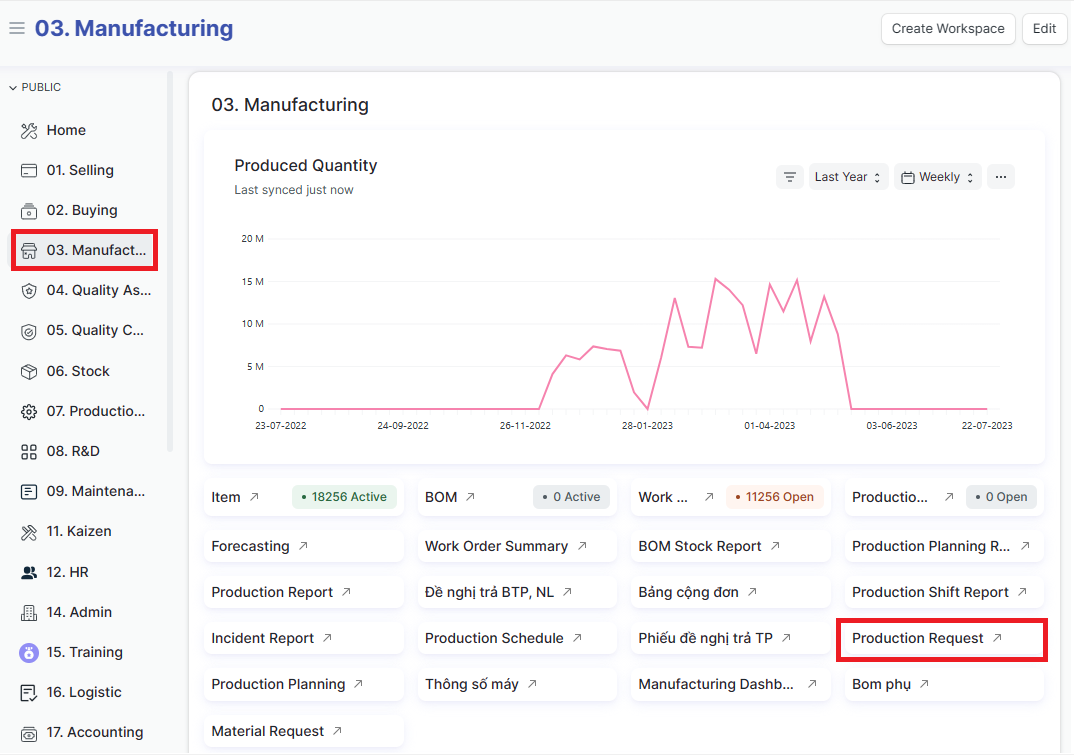
Or:
Home page => Manufacturing => Production request
1. Basic information:
The following information is necessary and should be created before creating the Manufacturing request: (if not available before, it can be created during the selection of the corresponding item)
Customer
Item
Stamps template
Shipping mark template
Brand name
2. Steps to follow:
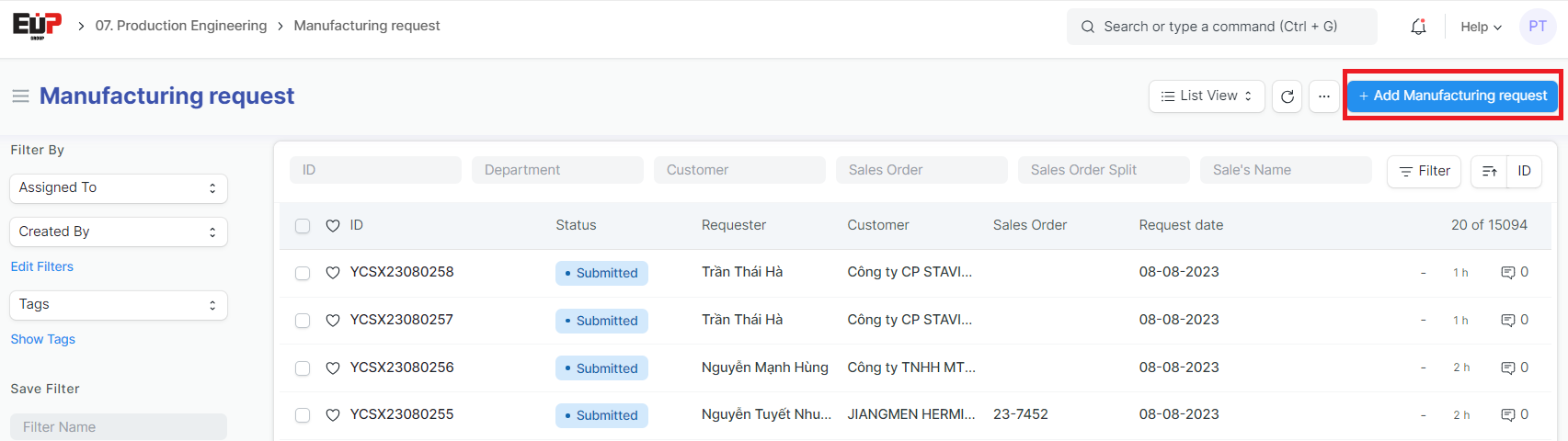
Step 1: Access the function of creating new Manufacturing request on the system by following the link: Home page => Selling => Manufacturing request => Add Manufacturing Request, Or following the link: Home page => Manufacturing => Production request => Add Manufacturing Request
Step2: Enter the Manufacturing request details (Fields marked with * are required fields)
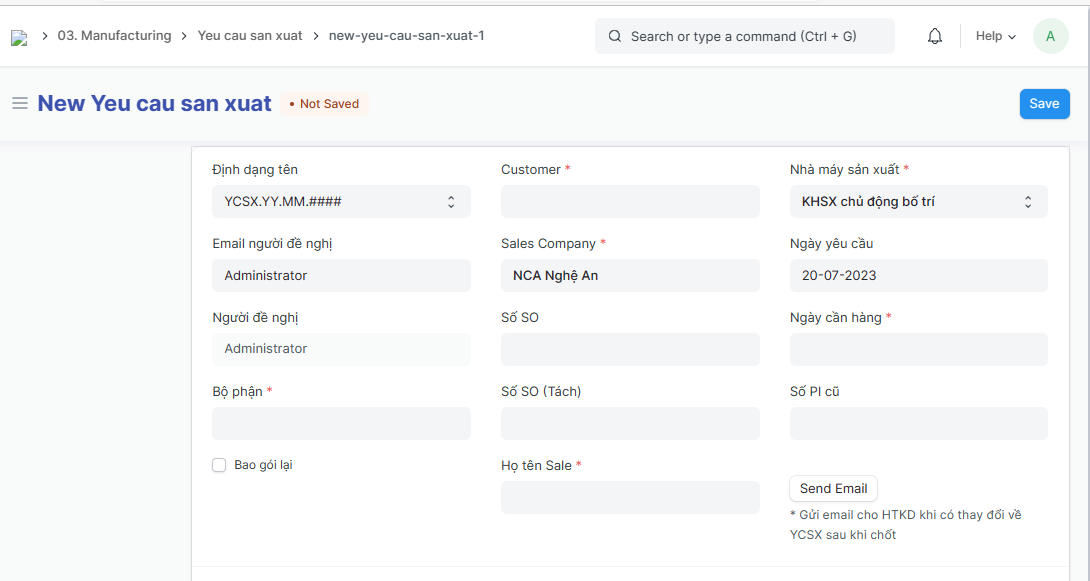
Customer:
Nhà máy sản xuất (Factory):
Email người đề nghị (Petitioner's email):
Người đề nghị (Petitioner):
Bộ phận (Department):
Sales Company:
Số SO (SO number)/ Số SO (Tách) (Split SO number): Enter if available
Họ tên Sale (Salesperson's name ):
Ngày yêu cầu (Request Date):
Ngày cần hàng (Date of need):
Step 3: Enter the informations of Stamps (Tem nhãn) and shipping mark (Fields marked with * are required fields)
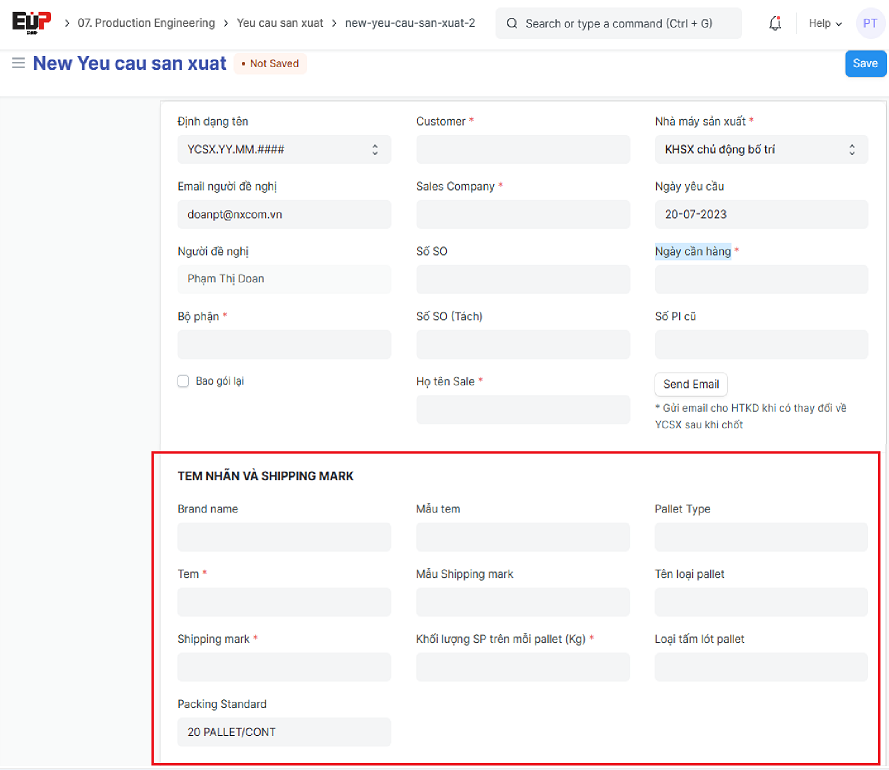
Brand name
Stamps
Shipping mark
Mẫu tem (Stamps template)
Mẫu Shipping mark (Shipping mark template)
Khối lượng SP trên mỗi pallet (Kg/Pallet): Kilograms per 1 pallet
Pallet Type
Pallet name
Loại tấm lót pallet (Pallet liner type)
Packing Standard
Step 4: At the "Product portfolio" table, Click on "Add row" and "Edit" to add the informations of items to be manufactured
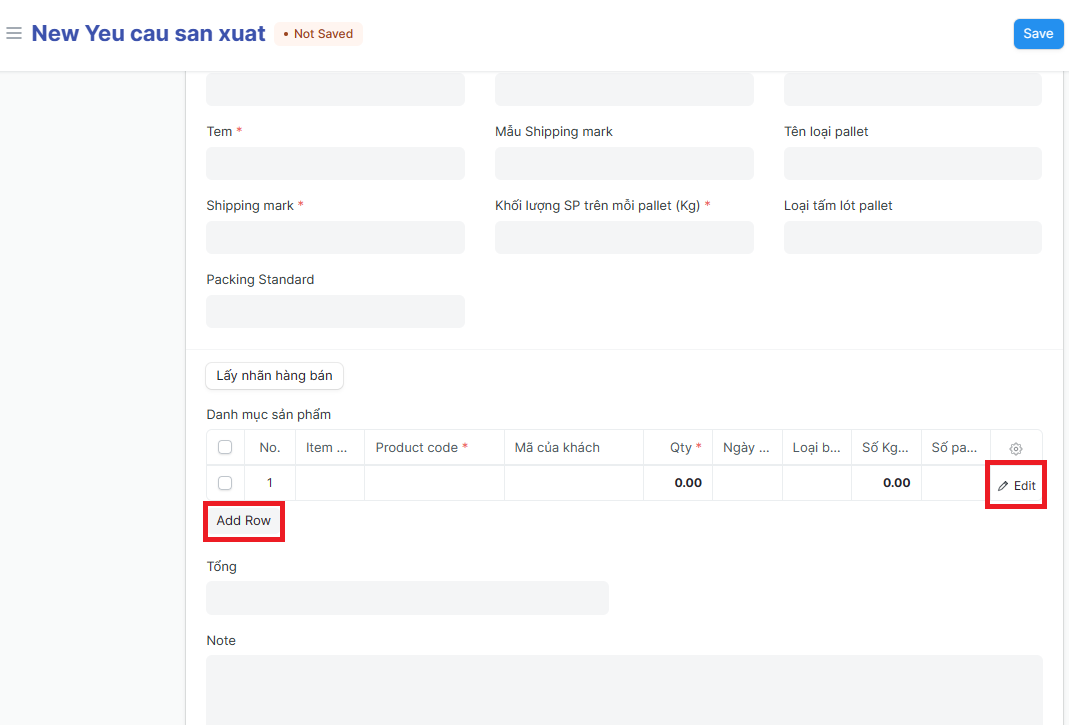
Enter the informations of items to be manufactured: (Fields marked with * are required fields)
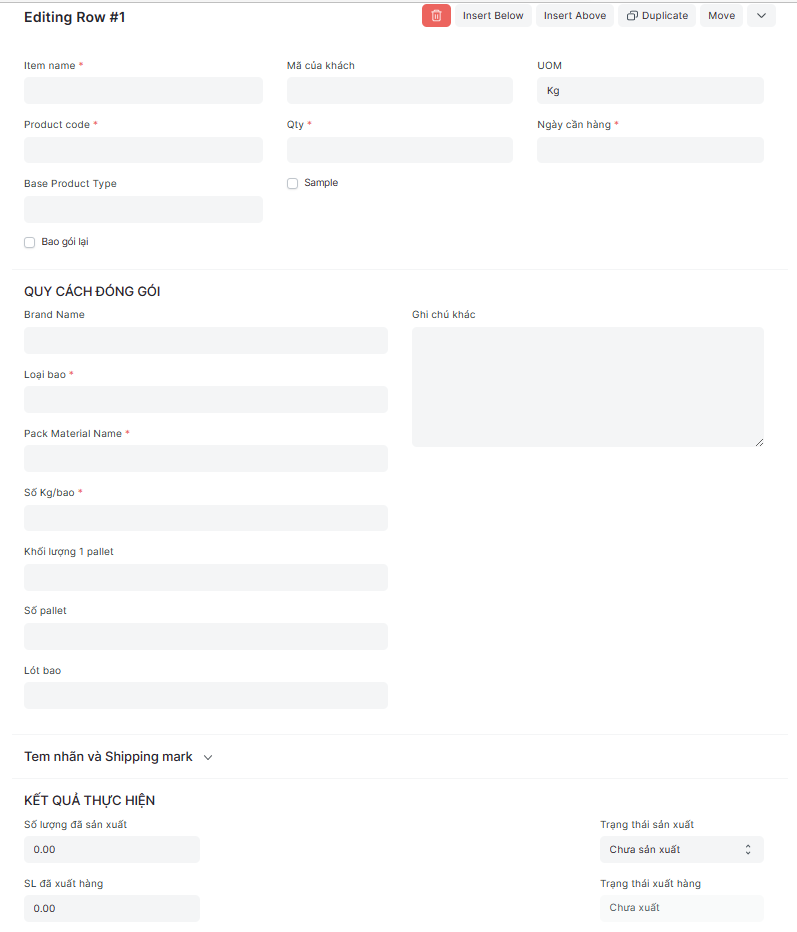
Item name:
Product code:
Mã của khách (Customer code):
Qty/ UOM:
Ngày cần hàng (Date of need):
Base Product Type:
Brand Name:
Loại bao (Bag type):
Pack Material Name:
Số Kg/bao (Kilogam per bag):
Khối lượng 1 pallet (Kilogam per pallet):
Số pallet (Qty of Pallets):
Lót bao (Bag liner):
Step 5: Click on "Save" to save the generated Manufacturing request
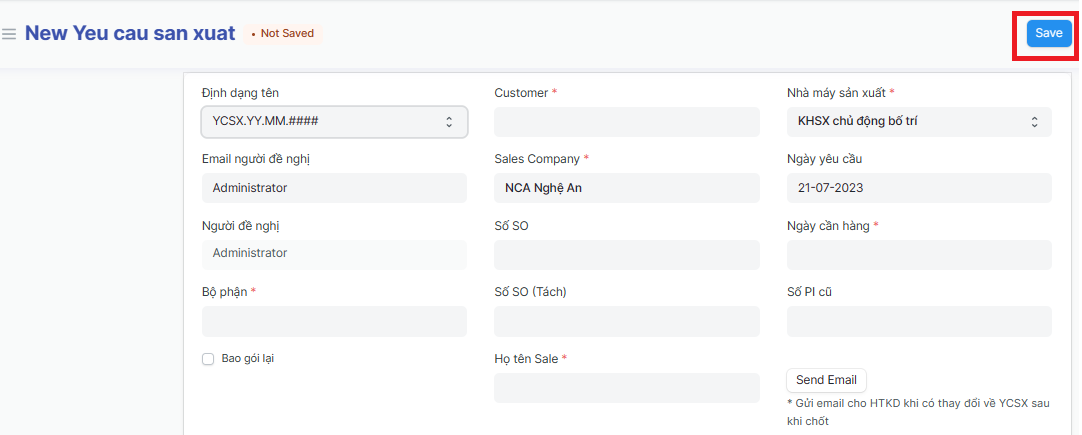
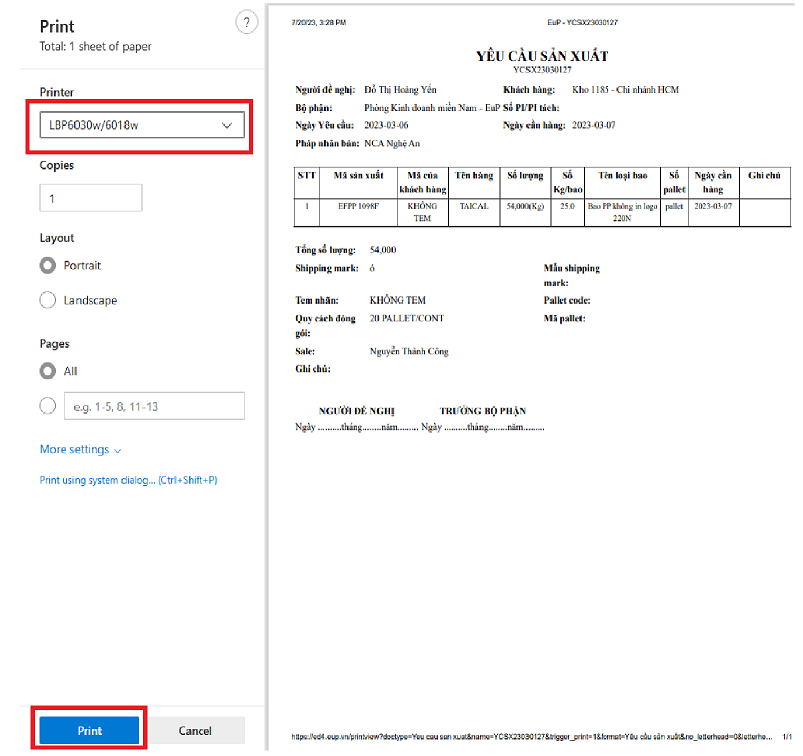
3. Print Manufacturing request:
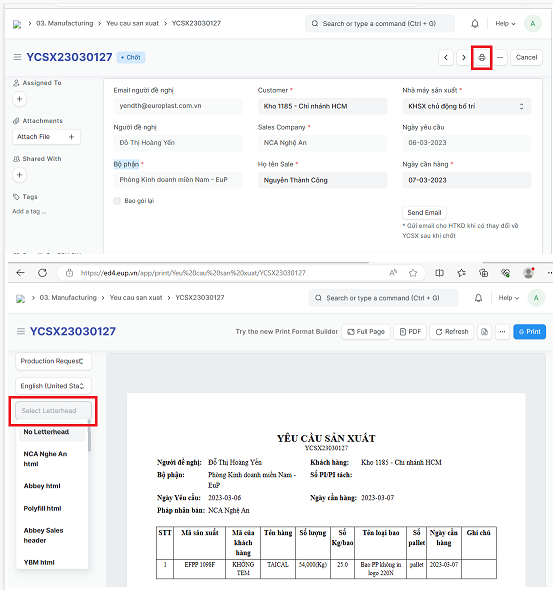
Step 1: Click on Printer icon => Choose the company you need
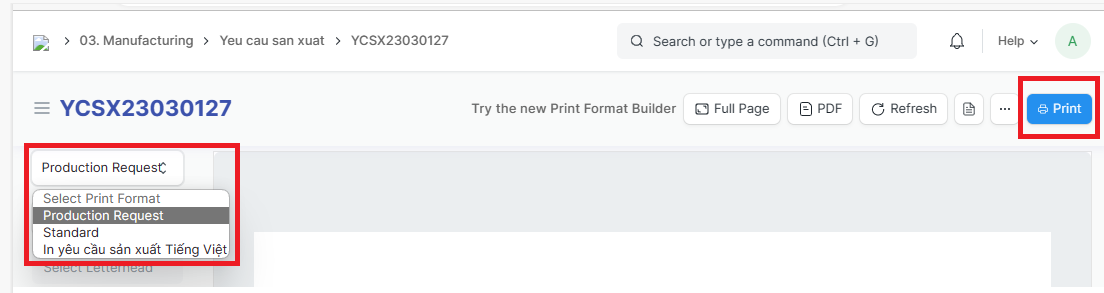
Step 2: Choose the printouts to print => Click on "Print"
Step 3: Choose printer name => Click on "Print"