Booking request
After the Sales order is closed, the sales staff based on the manufacturing plan to send a request to get a booking
When a "Booking Request" is created, the Logistic department will receive the information and take the booking as required.
1. Basic information:
The following information is necessary and should be created before creating the Booking request: (if not available before, it can be created during the selection of the corresponding item)
PI No:
Delivery term:
Shipping method:
2. Steps to follow:
Step 1: Access the function of creating new Booking request on the system by following the link:
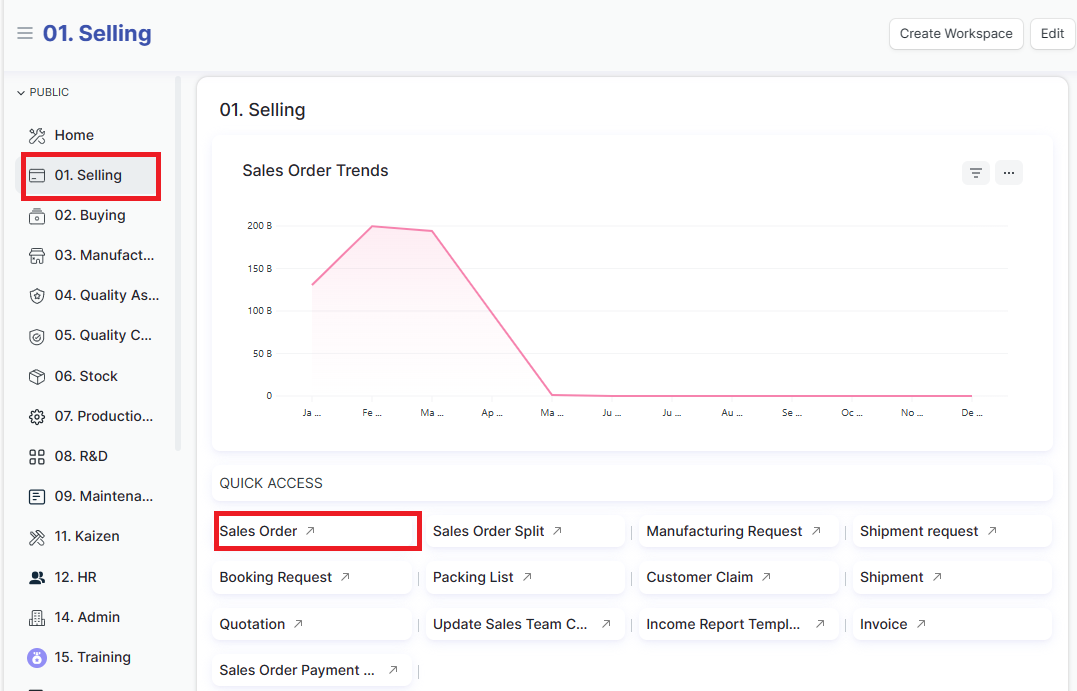
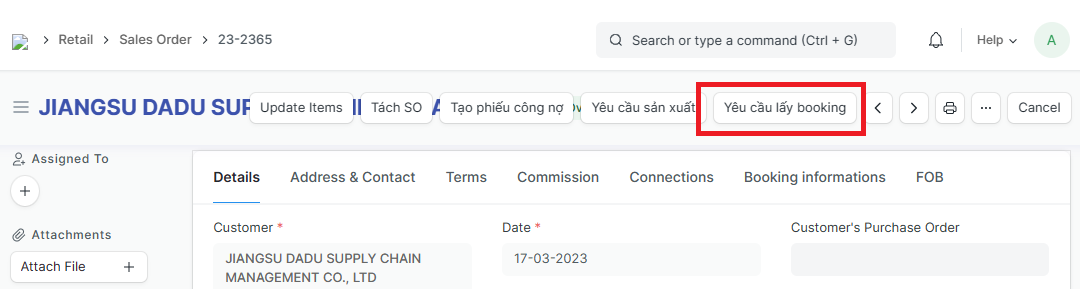
1st way: Home page => Selling => Sales order => Open the Sales order that you need to creat Booking request => Click on "Yêu cầu lấy booking - Booking request"
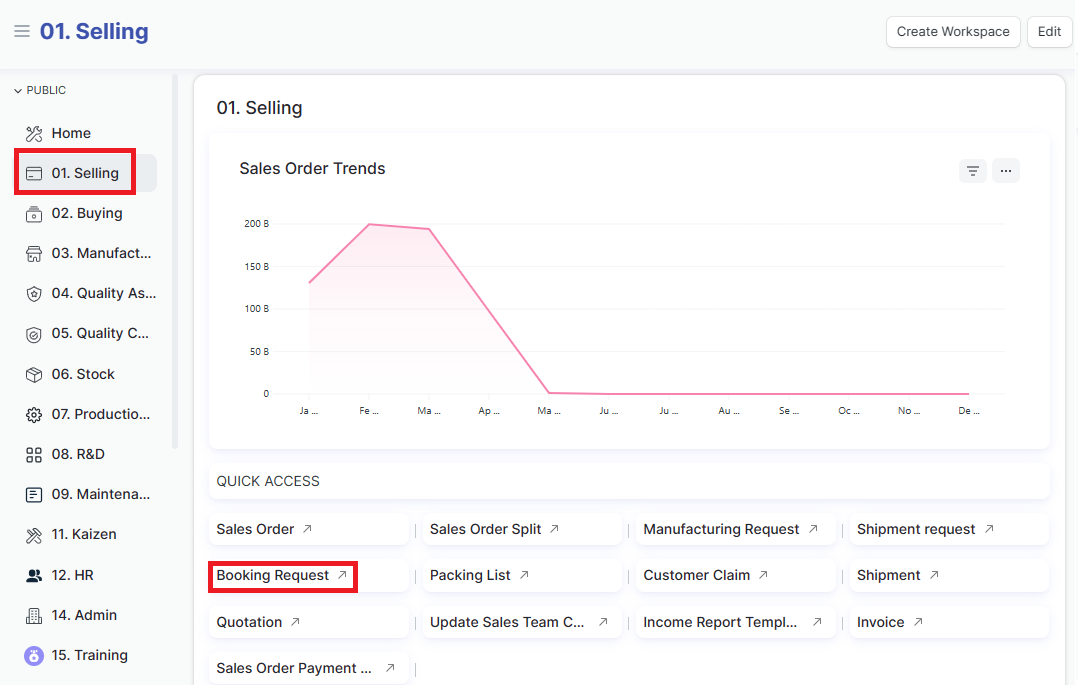
2nd way: Home page => Selling => Booking request => Add yeu cau lay booking (Add booking request)
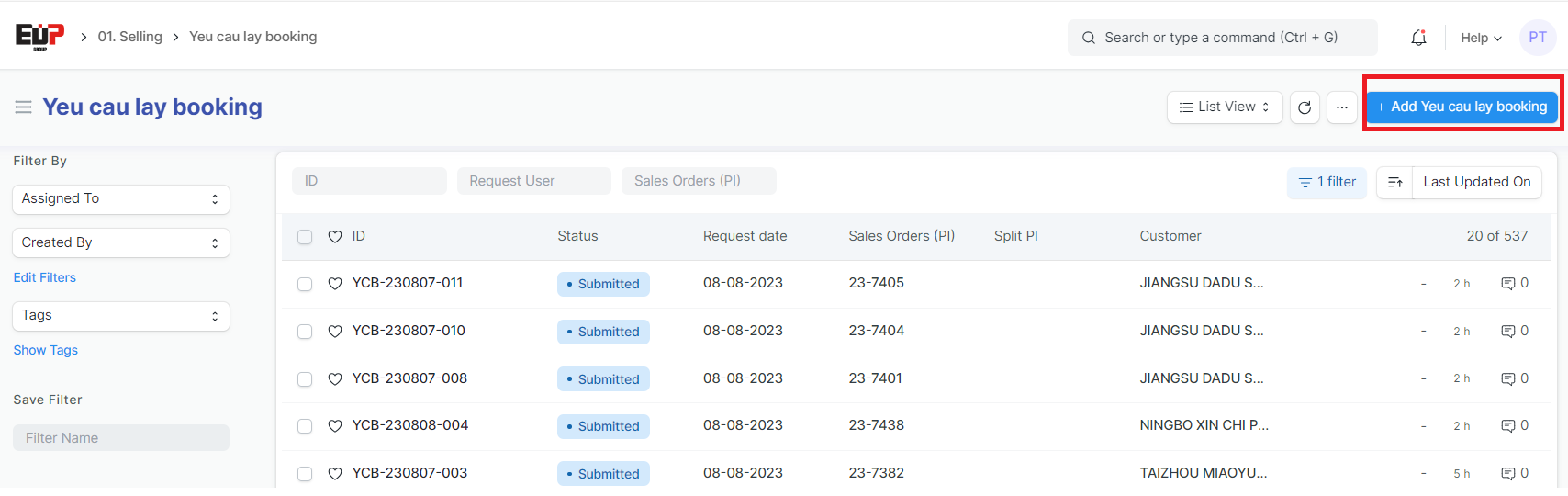
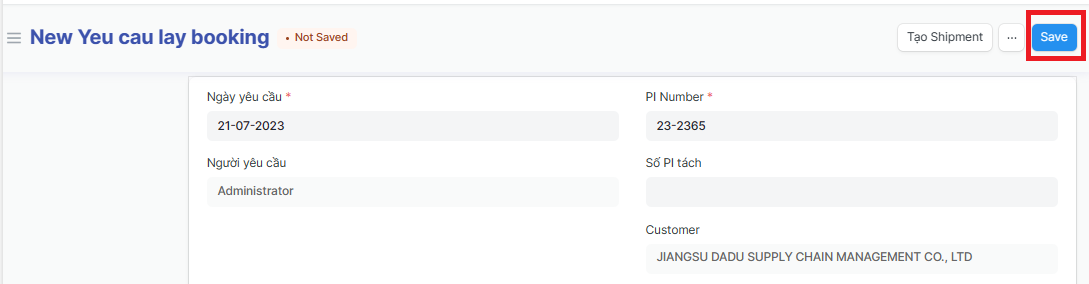
Step 2: Enter Booking informations (Fields marked with * are required fields):
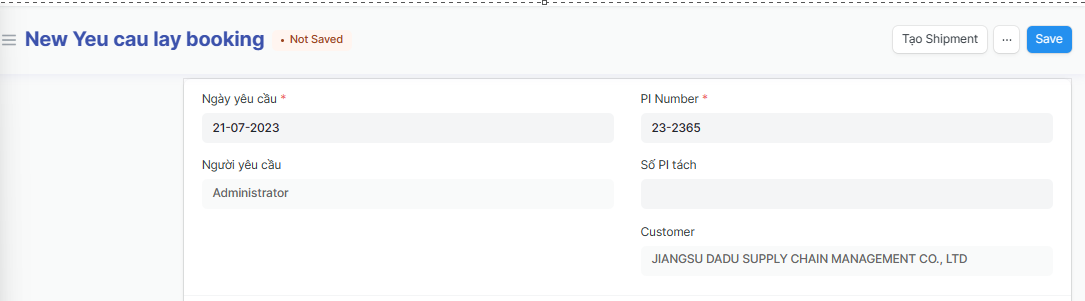
Ngày yêu cầu
Người yêu cầu
PI Number
Số PI tách
Customer
Step 3: Enter the other Booking informations (Fields marked with * are required fields):
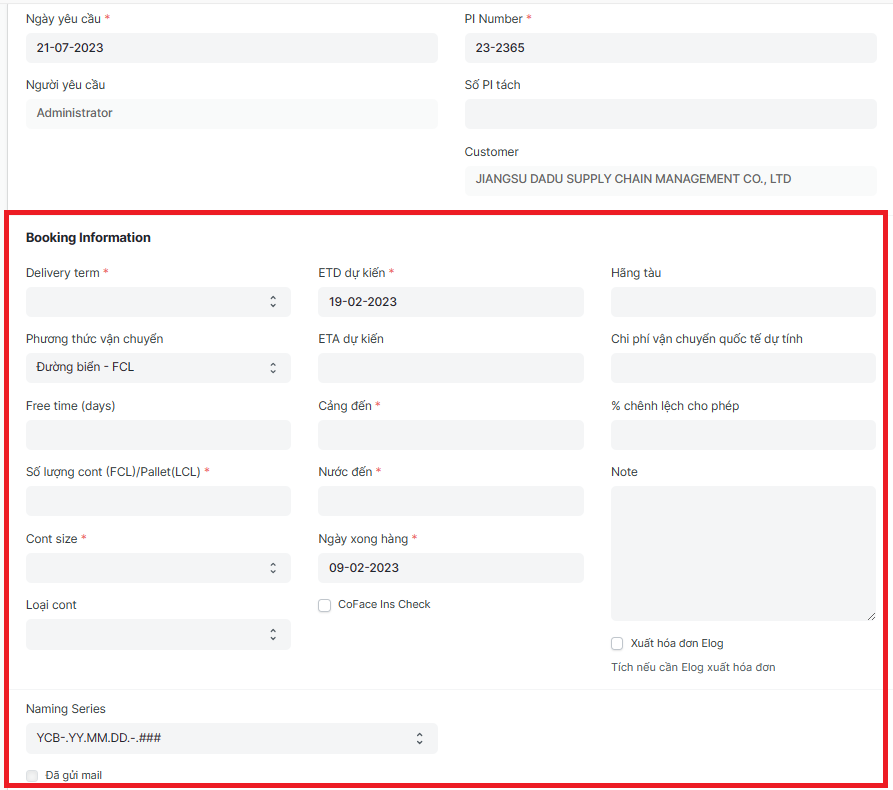
Delivery term:
Phương thức vận chuyển (Shipping method):
Free time (days):
Số lượng cont (FCL)/Pallet(LCL) (Qty of cont/ Pallet):
Cont size:
Loại cont (Cont type):
ETD dự kiến (Estimate Time of Departure):
ETA dự kiến (Estimated Time of arrival):
Cảng đến (Port of Discharge):
Nước đến (importing country):
Ngày xong hàng (Completion date ):
Hãng tàu (Shipping line):
Chi phí vận chuyển quốc tế dự tính (Estimated international shipping costs ):
% chênh lệch cho phép (percent error allowed):
Note:
Step 4: After enter Booking information => Click on "Save" to save the genarated Booking request