Shipment
1. Basic information:
The following information is necessary and should be created before creating the Shipment: (if not available before, it can be created during the selection of the corresponding item)
Customer
PI Number
Term
Booking
Contact Person
2. Steps to follow:
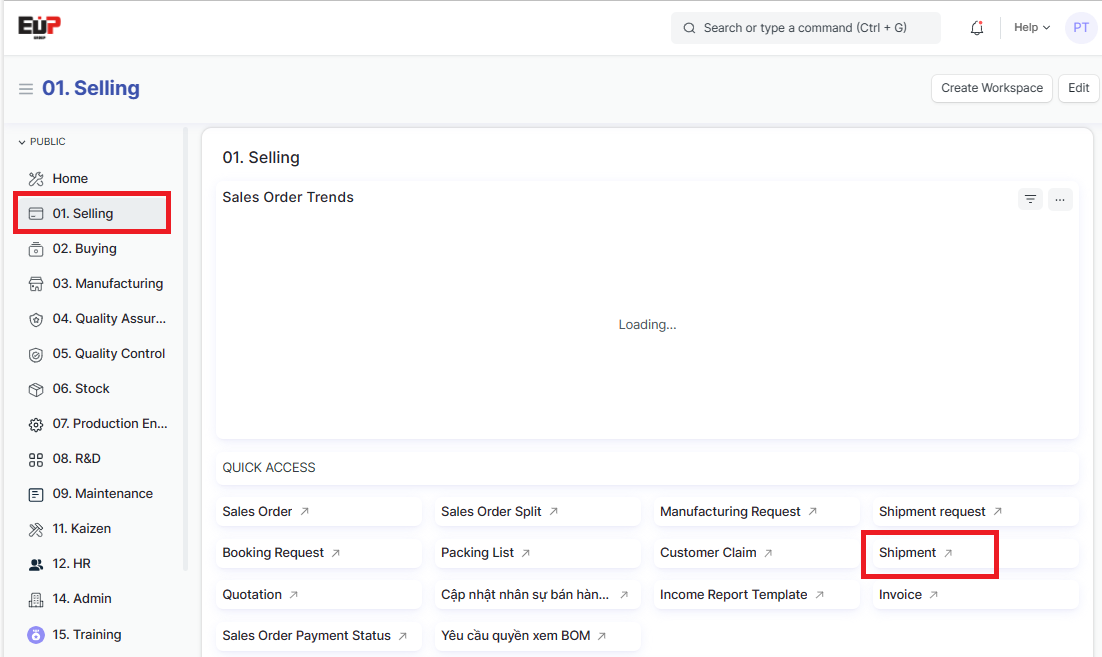
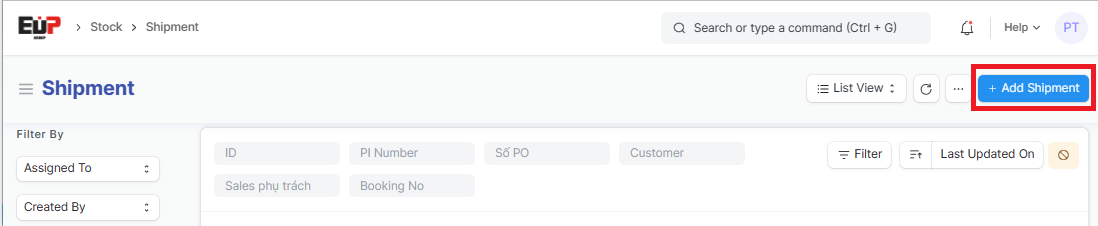
Step 1: Access the function of creating new Shipment on the system by following the link: Home page => Selling => Shipment => Add Shipment
Step 2: Enter information of the Pickup from (Fields marked with * are required fields):
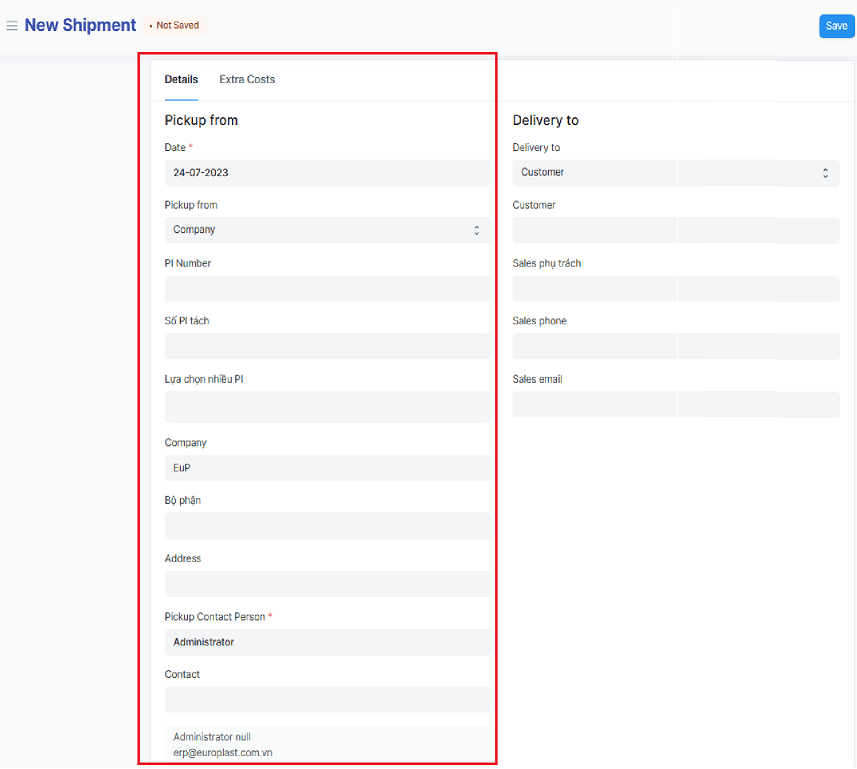
Date:
Pickup from: Select from the list
PI Number:
Số PI tách (PI split Number):
Lựa chọn nhiều PI (Select a lot of PI): if you need to enter a lot of PI
Company: Default to user
Bộ phận (Department):
Address:
Contact:
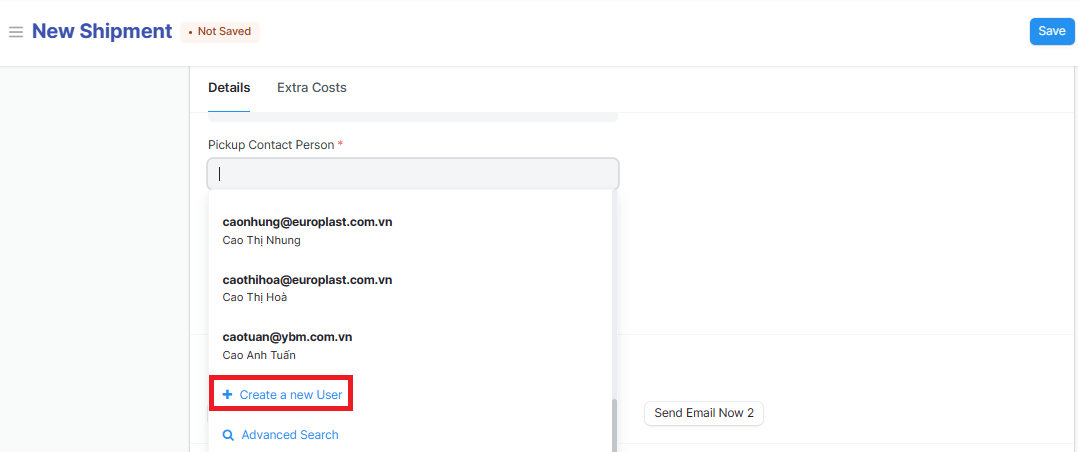
Pickup Contact Person: In the Contact Person select available Contact Person; or drag the cursor down to the end => Click on "Create a new Contact Person” to create a new
Step 3: Enter information of the Delivery to:
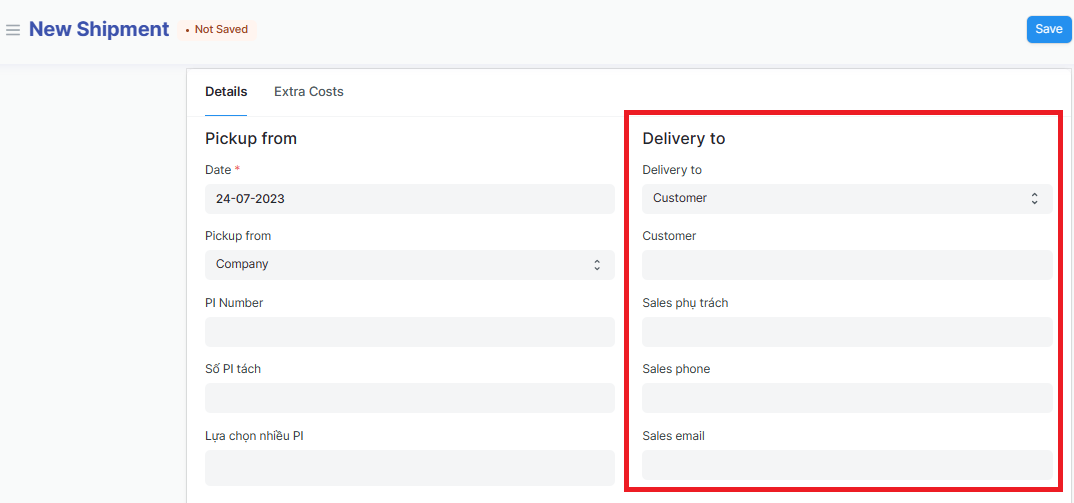
Delivery to:
Customer:
Sales phụ trách (Sales in charge ):
Sales phone:
Sales email:
Step 4: Enter informations of the Email:
Click on "Add row" to add one line => Click on "Edit" to Enter Email informations
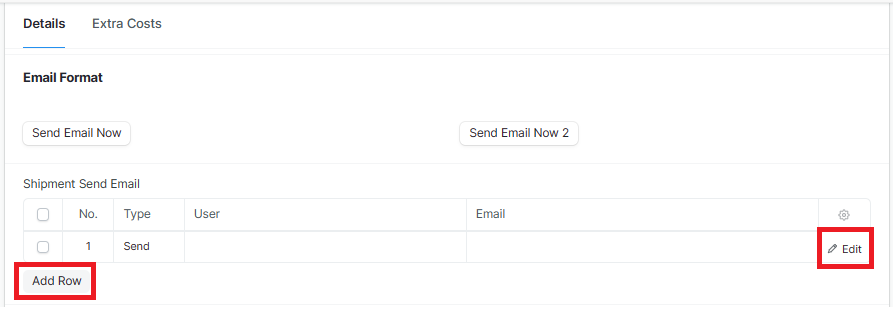
Type: Select "Send" or "CC"
User:
Email:
Step 5: Enter information of the International shipping (Fields marked with * are required fields):
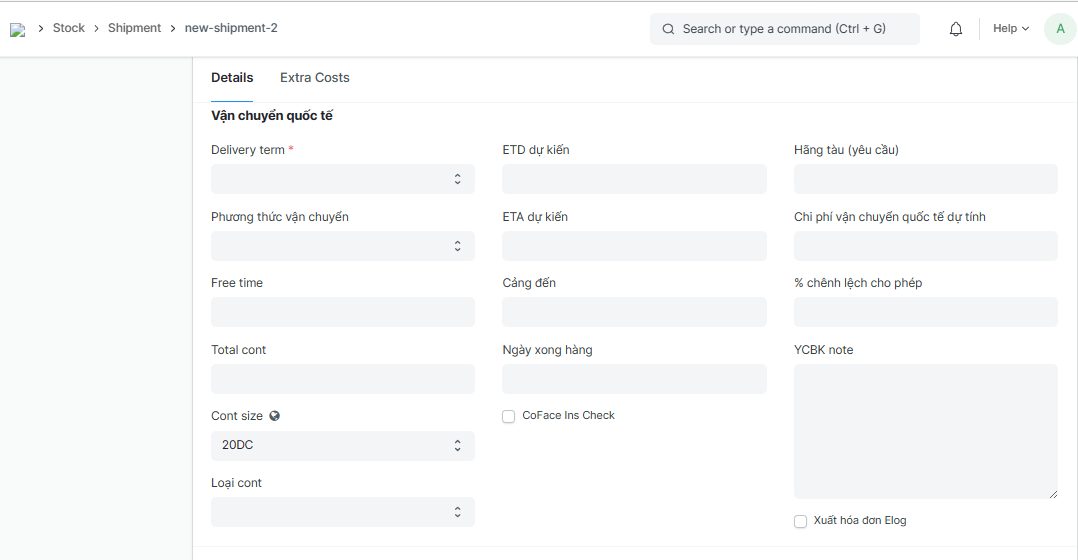
Delivery term:
Phương thức vận chuyển (Shipping method):
Free time:
Total cont:
Cont size:
Loại cont (Cont type):
ETD dự kiến (Estimate time of Departure):
ETA dự kiến (Estimated time of arrival):
Cảng đến (Port of Discharge):
Ngày xong hàng (Completion date ):
Hãng tàu (yêu cầu) (Shipping line - required):
Chi phí vận chuyển quốc tế dự tính (Estimated international shipping costs):
% chênh lệch cho phép (percent error allowed):
YCBK note (Booking request note):
Step 6: Enter Booking informations (Fields marked with * are required fields):
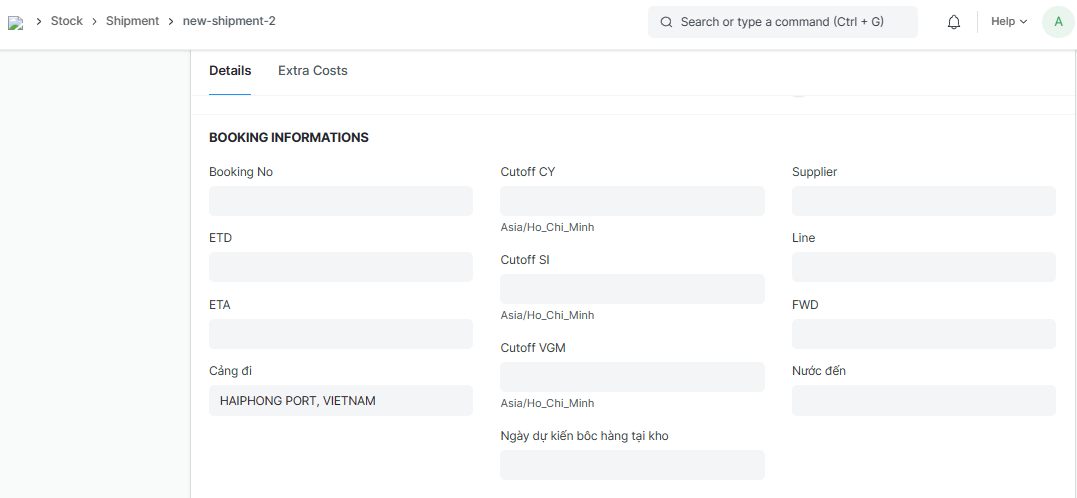
Booking No:
ETD (Estimated Time of Departure):
ETA (Estimated Time of Arrival):
Cảng đi (Port of Loading):
Cutoff CY (Cutoff container yard):
Cutoff SI (Cutoff Shipping Instruction):
Cutoff VGM (Cutoff Verified Gross Mass):
Ngày dự kiến bốc hàng tại kho (Estimated loading date - at the warehouse):
Supplier:
Line:
FWD (Forwarder):
Nước đến (importing country):
Step 7: Enter Checking informations (Fields marked with * are required fields):
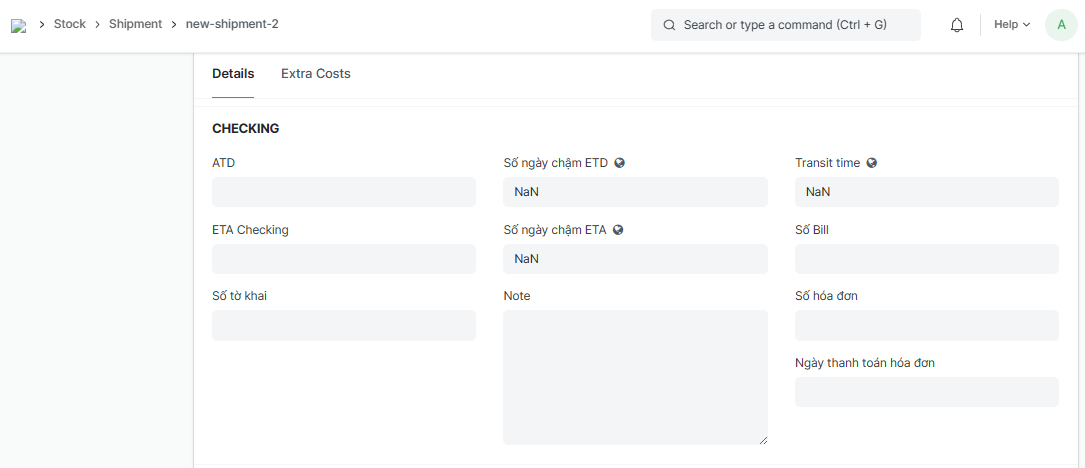
ATD (Actual Time of Department):
ETA Checking:
Số tờ khai (Customs declaration form No):
Số ngày chậm ETD (Days later than ETD):
Số ngày chậm ETA (Days later than ETA):
Transit time:
Số Bill (Bill No):
Số hóa đơn (Invoice No):
Ngày thanh toán hóa đơn (Invoice payment date):
Note:
Step 8: Enter Weight, currency, fee, charge... (Fields marked with * are required fields):
Enter Net weight, Gross weight, Loại tiền (Currency), Tỷ giá (Exchange rate) => Click on "Add row" to add one Fee/Charge row
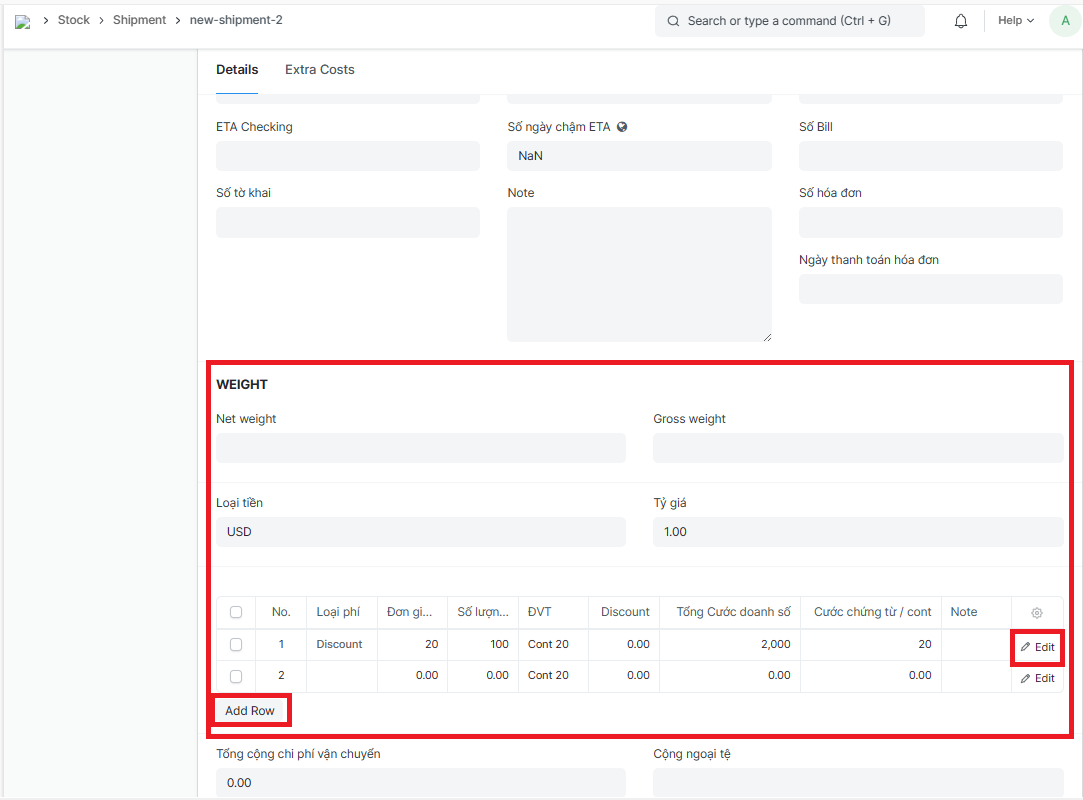
Enter Fees/Charges details if available
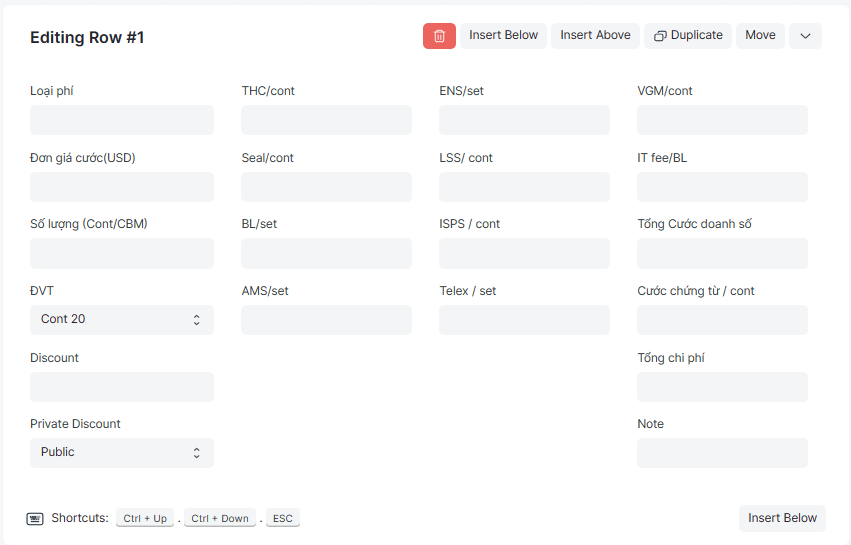
Loại phí (Fee type): Select from the available list
Đơn giá cước (USD) (Fare unit price):
Số lượng (Cont/CBM) (Qty of Cont/CBM):
ĐVT (Unit): Select from the available list
Discount:
Private Discount: Select from the available list
THC/cont (Terminal handling charge - per Cont):
Seal/cont (Seal Fee - per Cont):
BL/set (Bill of lading - per Set):
AMS/set (Advanced Manifest System fee - per set):
ENS/set (Entry Summary Declaration - per set):
LSS/ cont (Low Sulphur Surcharge - per Cont):
ISPS / cont (Intl Security Port Surcharge - per Cont):
Telex / set (Telex release - per set):
VGM/cont (Verified Gross Mass - per Cont):
IT fee/BL (Incoterm fee per Bill of lading):
Tổng Cước doanh số (Total Sales fees):
Cước chứng từ / cont (Document fee - per Cont):
Tổng chi phí (Total cost):
Note:
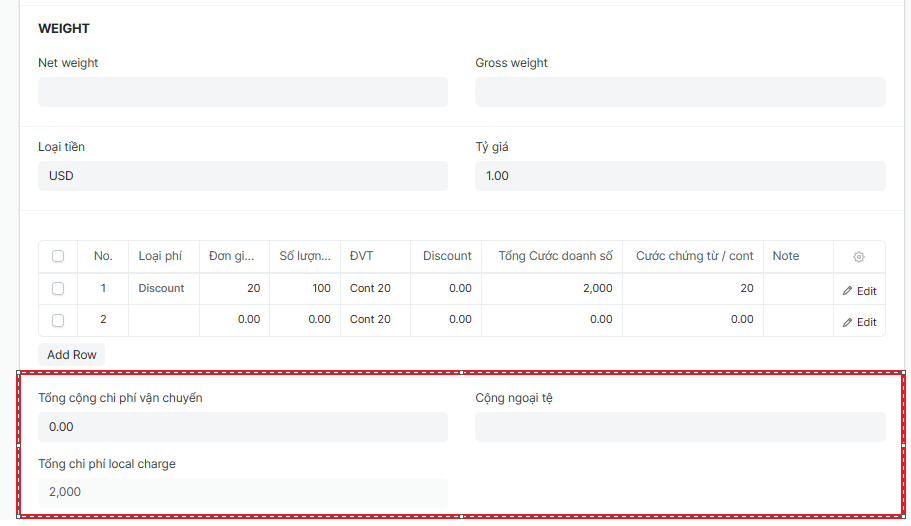
Step 9: Enter total fees and charges:
Tổng cộng chi phí vận chuyển (Total shipping cost):
Cộng ngoại tệ (Total foreign currency):
Tổng chi phí local charge (Total local charge cost):
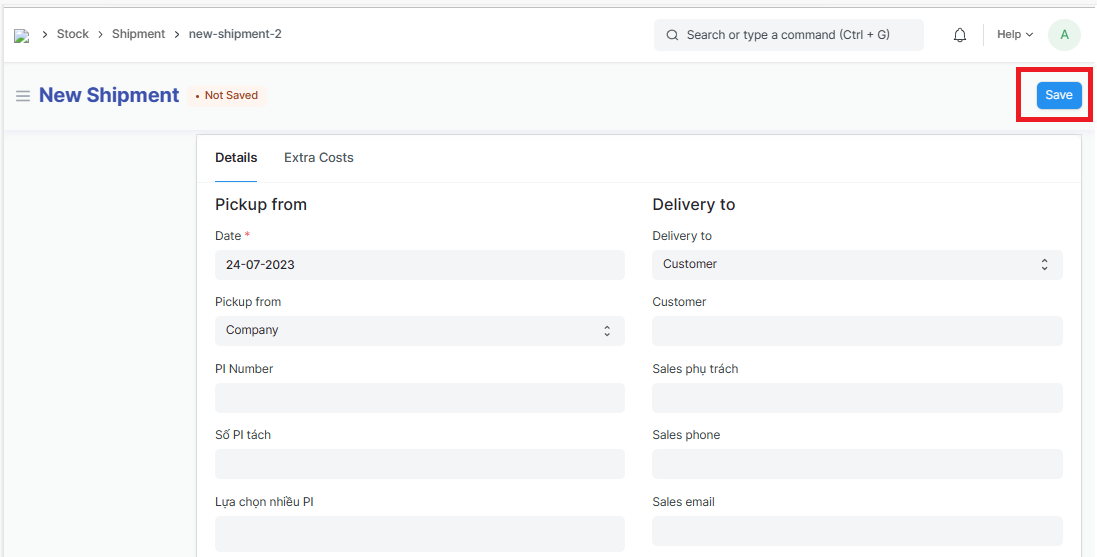
Step 10: Click on "Save" to save the genarated Shipment